

...INDIE
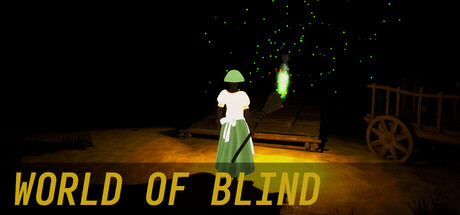
World of blind
This is a game that simulates blind people. In the dark game, you can discover different animals and natural environments through the sounds coming from the surroundings, and unlock related achievements. you can simulate the movement of blind people
Developer
Publisher
Release
July 28, 2025
1 year and 93 days ago
Steam Reviews
5 user reviews5 reviews60.0%
Game contextLatest: IGF Team
| ContextThe evidence factors used to assess whether this game belongs on IndieGame.Fan. | Status | Notes Latest Contributor: IGF TeamEdit notes |
|---|---|---|
Media
7 itemsAbout the Game
This is a game that simulates blind people.
In the dark game, you can discover different animals and natural environments through the sounds coming from the surroundings, and unlock related achievements.
In the game, you can simulate the movement of blind people, such as using a broom to move left and right in front of you to sense whether there are obstacles in front.
If you don't like not being able to see anything, you can press the [Q] key on the keyboard to light a small torch.
The size of the flame can be changed with the number in the lower right corner of the game. The larger the number, the larger the illuminated range.
If you want to open the game menu, you can press the [ESC] key on the keyboard.
If you want to get a mouse, you can press the [~] key on the keyboard.
You can press [Shift] to turn on the running mode, or press [ctrl] to turn on the slow movement mode.
You can change the perspective of the game with the mouse wheel.
You can press [Alt] to lock the perspective.
If you need to guide the direction, you can press [E].
For more shortcuts, just open the main menu and click on the key settings to see them.
YouTube Videos
Most viewedNo videos are available for this game yet.
User Comments
Join the conversation in this game’s community chat.
