

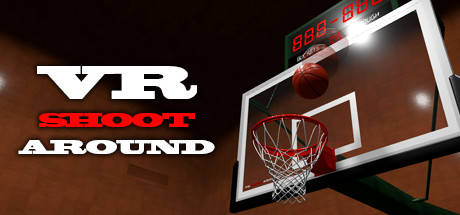
VR SHOOT AROUND - Realistic basketball simulator -
VR SHOOT AROUND is a "Simulater of basketball shoot around" that will provide you fantastic physical calculations, fantastic sounds and a fantastic rich court.
Developer
Publisher
Release
July 12, 2017
9 years and 23 days ago
Steam Reviews
Mostly Positive46 reviews78.3%
Does this feel indie?
Vote based on whether this game feels indie to you. You can change your vote at any time. Results earn an IGF score after 10 accepted votes.No votes yet
Game contextLatest: IGF Team
| ContextThe evidence factors used to assess whether this game belongs on IndieGame.Fan. | Status | Notes Latest Contributor: IGF TeamEdit notes |
|---|---|---|
Updated: Jul 14, 2026Developer scaleThe operating scale of the game's developer. | ||
Updated: Jul 14, 2026Publisher scaleThe operating scale of the game's publisher. | ||
Updated: Jul 14, 2026Publisher statusHow the game's publishing relationship is classified. | ||
Updated: Jul 14, 2026Creative controlWho appears to retain creative control of the game. | ||
Updated: Jul 14, 2026Release statusWhether and how the game has been released. |
Media
8 itemsAbout the Game
VR SHOOT AROUND is a "Simulater of basketball shoot around" that will provide you fantastic physical calculations, fantastic sounds and a fantastic rich court. Do not worry if you are not good shooter. because this simulater has "Throwing power assist" and "G.O.A.T. assist", therefore you can hit a long shot like an NBA player! Let's release your frustration!!!
Playing with OculusQuest via OculusLink (using Oculus-cable) has been confirmed to work, but playing with OculusQuest via VirtualDesktop is not recommended by Oculus and is not supported. (But there are also reports that it works)
【 Realistic rim-net physics 】We developed a physics function to reproduce the movement of rim-net close to reality.
【 Throwing power multiplier 】You can change the magnification of the throwing power. In addition, detailed settings such as rotational force, angle, and height are also possible.
【 G.O.A.T. assist 】If set to maximum value of this function, your shot will succeed with 99.9% probability unless there is an obstacle.
【 Rim height 】You can change the height of the rim in three steps. (3.05m, 2.45m, 1.85m)
【 Court color painting 】You can change each space in the court to your favorite color.
【 Logo manager 】You can paste the selected image (PNG, JPG) from the local folder on the court.
【 Video screen 】You can play selected movie & sound file from the local folder on the screen.
【 Minigames 】You can play 3PTS CONTEST & NINE HOOPS now.
HTC Vive
【 Trigger 】Click while using pointer
【 Trigger 】Grab a ball (Switchable on KeyConfig)
【 Grip 】Receive a ball (Switchable on KeyConfig)
【 Menu button 】Open settings window
【 Touchpad 】Touch : Pointer
【 Touchpad 】Press Up or Down : Move
【 Touchpad 】Press Left or Right : Rotate
Oculus Rift & Oculus Quest
【 Trigger 】Click while using pointer
【 Trigger 】Grab a ball (Switchable on KeyConfig)
【 Grip 】Receive a ball (Switchable on KeyConfig)
【 B or Y button 】Open settings window
【 Thumbstick 】Touch : Pointer
【 Thumbstick 】Tilt Up or Down : Move
【 Thumbstick 】Tilt Left or Right : Rotate
Valve Index
【 Trigger 】Click while using pointer
【 Trigger 】Grab a ball (Switchable on KeyConfig)
【 Grip 】Receive a ball (Switchable on KeyConfig)
【 B button 】Open settings window
【 Thumbstick 】Touch : Pointer
【 Thumbstick 】Tilt Up or Down : Move
【 Thumbstick 】Tilt Left or Right : Rotate
Common operation
【 Click on video screen 】Open video screen controller.
About the operation status of OculusQuest (using OculusLink)
Playing with OculusQuest via OculusLink (using Oculus-cable) has been confirmed to work, but playing with OculusQuest via VirtualDesktop is not recommended by Oculus and is not supported. (But there are also reports that it works)
Game features
【 Realistic rim-net physics 】We developed a physics function to reproduce the movement of rim-net close to reality.
【 Throwing power multiplier 】You can change the magnification of the throwing power. In addition, detailed settings such as rotational force, angle, and height are also possible.
【 G.O.A.T. assist 】If set to maximum value of this function, your shot will succeed with 99.9% probability unless there is an obstacle.
【 Rim height 】You can change the height of the rim in three steps. (3.05m, 2.45m, 1.85m)
【 Court color painting 】You can change each space in the court to your favorite color.
【 Logo manager 】You can paste the selected image (PNG, JPG) from the local folder on the court.
【 Video screen 】You can play selected movie & sound file from the local folder on the screen.
【 Minigames 】You can play 3PTS CONTEST & NINE HOOPS now.
Users guide
HTC Vive
【 Trigger 】Click while using pointer
【 Trigger 】Grab a ball (Switchable on KeyConfig)
【 Grip 】Receive a ball (Switchable on KeyConfig)
【 Menu button 】Open settings window
【 Touchpad 】Touch : Pointer
【 Touchpad 】Press Up or Down : Move
【 Touchpad 】Press Left or Right : Rotate
Oculus Rift & Oculus Quest
【 Trigger 】Click while using pointer
【 Trigger 】Grab a ball (Switchable on KeyConfig)
【 Grip 】Receive a ball (Switchable on KeyConfig)
【 B or Y button 】Open settings window
【 Thumbstick 】Touch : Pointer
【 Thumbstick 】Tilt Up or Down : Move
【 Thumbstick 】Tilt Left or Right : Rotate
Valve Index
【 Trigger 】Click while using pointer
【 Trigger 】Grab a ball (Switchable on KeyConfig)
【 Grip 】Receive a ball (Switchable on KeyConfig)
【 B button 】Open settings window
【 Thumbstick 】Touch : Pointer
【 Thumbstick 】Tilt Up or Down : Move
【 Thumbstick 】Tilt Left or Right : Rotate
Common operation
【 Click on video screen 】Open video screen controller.
