

...INDIE

UC SIM ~unity-chan simulator~
UC SIM is a free software that runs on Windows. This game is for those who want to move Unity-chan, those who want Unity-chan to dance, those who want to make videos of Unity-chan, those who want to make 360 ° VR videos of Unity-chan, etc.
Developer
Publisher
Release
February 27, 2022
4 years and 246 days ago
Steam Reviews
8 user reviews8 reviews87.5%
Game contextLatest: IGF Team
| ContextThe evidence factors used to assess whether this game belongs on IndieGame.Fan. | Status | Notes Latest Contributor: IGF TeamEdit notes |
|---|---|---|
Updated: Jul 11, 2026Developer scaleThe operating scale of the game's developer. | ||
Updated: Jul 11, 2026Publisher scaleThe operating scale of the game's publisher. | ||
Updated: Jul 11, 2026Publisher statusHow the game's publishing relationship is classified. | ||
Updated: Jul 11, 2026Release statusWhether and how the game has been released. |
Media
8 itemsAbout the Game
UC SIM is a free software that runs on Windows.
It is intended for the following people.
・ Those who want to move Unity-chan
・ Those who want Unity-chan to dance
・ Those who want to make a video of Unity-chan
・ Those who want to create a 360 ° VR video of Unity-chan
* Models other than Unity include Query, Acquire, Tohoku Zunko, Ieltan, Unity Mask, Taichi Hayami, Saki Asakawa, Kohaku, Misaki, Yuko, Akaza, and Yuji.
* If you want to create a video, you need to set the path of ffmpeg and exiftool on the TOP screen after installing ffmpeg and exiftool.
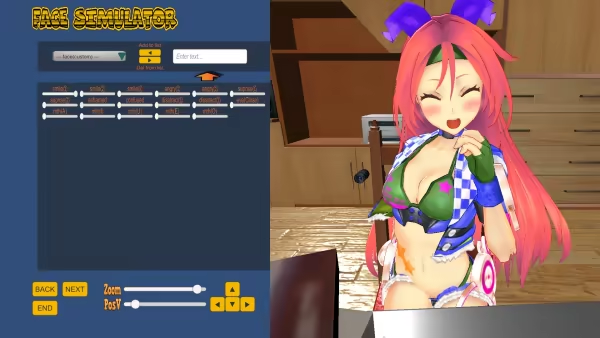
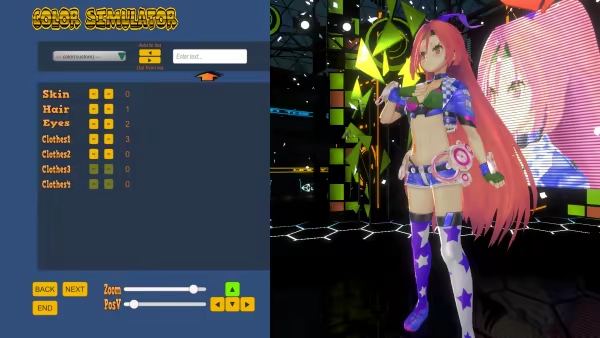

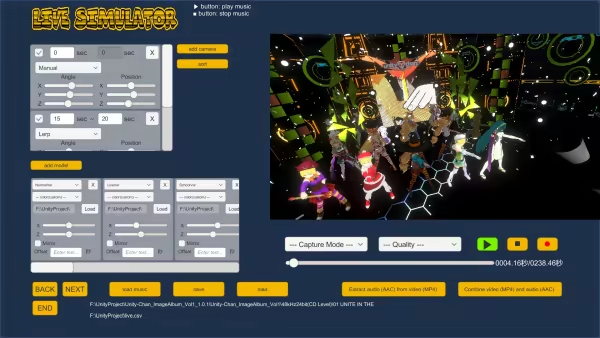
It is intended for the following people.
・ Those who want to move Unity-chan
・ Those who want Unity-chan to dance
・ Those who want to make a video of Unity-chan
・ Those who want to create a 360 ° VR video of Unity-chan
* Models other than Unity include Query, Acquire, Tohoku Zunko, Ieltan, Unity Mask, Taichi Hayami, Saki Asakawa, Kohaku, Misaki, Yuko, Akaza, and Yuji.
* If you want to create a video, you need to set the path of ffmpeg and exiftool on the TOP screen after installing ffmpeg and exiftool.
YouTube Videos
Most viewedNo videos are available for this game yet.
User Comments
Join the conversation in this game’s community chat.
