

...INDIE
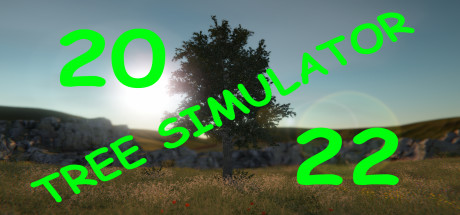
Tree Simulator 2022
It's exactly what it sounds like, but now with 100% more multiplayer. You are the tree and so is everyone else! You are equaled by no other, except maybe the forest... Relax and be the best tree you can be.
Developer
Publisher
Release
April 16, 2021
5 years and 154 days ago
Steam Reviews
Overwhelmingly Positive1,259 reviews97.0%
Game contextLatest: IGF Team
| ContextThe evidence factors used to assess whether this game belongs on IndieGame.Fan. | Status | Notes Latest Contributor: IGF TeamEdit notes |
|---|---|---|
Updated: Jul 13, 2026Developer scaleThe operating scale of the game's developer. | ||
Updated: Jul 13, 2026Publisher scaleThe operating scale of the game's publisher. | ||
Updated: Jul 13, 2026Publisher statusHow the game's publishing relationship is classified. | ||
Updated: Jul 13, 2026Creative controlWho appears to retain creative control of the game. | ||
Updated: Jul 13, 2026Release statusWhether and how the game has been released. |
Media
6 itemsAbout the Game
Tree! You're a tree! Be the best tree you can be. Embrace the forest and discover what it means to truly be a tree. A true work of art.
Enjoy customizable settings and more (what could that mean?)!
Be the best forest you can be! Invite up to 100 of your closest trees to join your forest.
For transparency, multiplayer is tested with 4 trees, but it should support up to 100.
Trees 5 and 6 are rocks. Trees 1-4 and 7-100 are normal trees.
There is no built in text or voice chat. It is recommended that Discord or Steam chat be used.
Note: "Invite to game" and "Join game" from the Steam overlay will only work after a host tree clicks "Invite trees" from the in game menu.
A D: Rotate view
W S: Zoom
Escape: Menu / Settings
Enjoy customizable settings and more (what could that mean?)!
Now with multiplayer!
Be the best forest you can be! Invite up to 100 of your closest trees to join your forest.
For transparency, multiplayer is tested with 4 trees, but it should support up to 100.
Trees 5 and 6 are rocks. Trees 1-4 and 7-100 are normal trees.
There is no built in text or voice chat. It is recommended that Discord or Steam chat be used.
Multiplayer steps
- Host tree presses [Esc] on the keyboard
- Host tree clicks "Invite trees"
- Host tree uses invite dialog to invite other trees
- Other trees start Tree Simulator 2022
- Other trees press [Shift]+[Tab] to activate the Steam overlay
- Other trees click "Play Game" in the Steam chat window
Note: "Invite to game" and "Join game" from the Steam overlay will only work after a host tree clicks "Invite trees" from the in game menu.
Controls
A D: Rotate view
W S: Zoom
Escape: Menu / Settings
YouTube Videos
Most viewedNo videos are available for this game yet.
User Comments
Join the conversation in this game’s community chat.
