

...INDIE
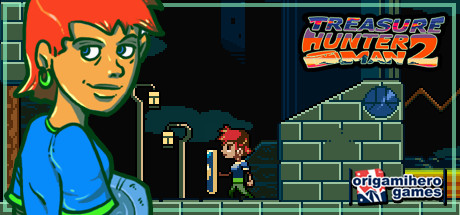
Treasure Hunter Man 2
With the help of the many treasures on a mysterious island, Dorothy might just be able to save her son and dispel a terrible curse.
Developer
Publisher
Release
June 16, 2018
8 years and 137 days ago
Steam Reviews
Positive17 reviews94.1%
Game contextLatest: IGF Team
| ContextThe evidence factors used to assess whether this game belongs on IndieGame.Fan. | Status | Notes Latest Contributor: IGF TeamEdit notes |
|---|---|---|
Updated: Jul 14, 2026Developer scaleThe operating scale of the game's developer. | ||
Updated: Jul 14, 2026Publisher scaleThe operating scale of the game's publisher. | ||
Updated: Jul 14, 2026Publisher statusHow the game's publishing relationship is classified. | ||
Updated: Jul 14, 2026Creative controlWho appears to retain creative control of the game. | ||
Updated: Jul 14, 2026Release statusWhether and how the game has been released. |
Media
6 itemsAbout the Game
With the help of the many treasures on a mysterious island, Dorothy might just be able to save her son and dispel a terrible curse.
THM2 is a retro metroidvania. Acquiring new equipment and upgrades opens up more explorable areas in all sorts of places. This adventure platformer takes you from the depth of a sunken underground city to the ruins in the sky all the way beyond the realms of reality.
The game has multiple endings and additional challenges if you're really good at treasure hunting. A normal playthrough will take about 4-5 hours, and with the optional content about 7 to 8 hours.
This version comes with Steam achievements and other minor updates.
A few notes:
THM2 is a retro metroidvania. Acquiring new equipment and upgrades opens up more explorable areas in all sorts of places. This adventure platformer takes you from the depth of a sunken underground city to the ruins in the sky all the way beyond the realms of reality.
The game has multiple endings and additional challenges if you're really good at treasure hunting. A normal playthrough will take about 4-5 hours, and with the optional content about 7 to 8 hours.
This version comes with Steam achievements and other minor updates.
A few notes:
- If you want to go fullscreen without a visible window border, hit ALT+ENTER. That works in a lot of games! Do the same again for going back to windowed mode.
- The standard key setup is as follows: A/S/D + Arrow Keys - You can change these using the in-game key configurator if they're not to your liking. Gamepads will work if they're plugged in before the game is started.
- The inventory is opened while the third action button (D on the keyboard) is held down.
YouTube Videos
Most viewedNo videos are available for this game yet.
User Comments
Join the conversation in this game’s community chat.
