

...INDIE
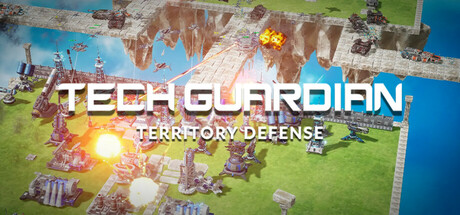
TechGuardian: Territory Defense
This is a sci-fi strategy game featuring a Defense Mode focused on tower defense and an Attack Mode focused on combat. The game includes over 30 different buildings and units, all of which can be upgraded through entry editing to enhance their performance and firepower.
Developer
Publisher
Release
August 6, 2025
1 year and 62 days ago
Steam Reviews
Mixed30 reviews63.3%
Game contextLatest: IGF Team
| ContextThe evidence factors used to assess whether this game belongs on IndieGame.Fan. | Status | Notes Latest Contributor: IGF TeamEdit notes |
|---|---|---|
Updated: Jul 14, 2026Developer scaleThe operating scale of the game's developer. | ||
Updated: Jul 14, 2026Publisher scaleThe operating scale of the game's publisher. | A separate publisher is listed without a proven bounded regional or service-only role. | |
Updated: Jul 14, 2026Release statusWhether and how the game has been released. | The title released with a separate publisher relationship. |
Media
8 itemsAbout the Game
We've brought to life the game from those frequently seen ad videos! Enemy forces are invading territories. Build defense systems, launch offensives, and reclaim sovereignty! It'll immerse you in a sci - fi future war world. As a central control room commander, embark on a grand defense campaign. Combine firepower and defense units to retake controlled areas.
Defense Mode: Amidst intense firepower, defend your territory in this highly - freedom strategy game. Construct an economic system and freely build various functional units. While fending off enemies, seize new areas.
Attack Mode: Deploy your military forces to break through enemy defenses and reclaim occupied territories. Seize the right moments and strategically deploy your fighter jets, tanks, drones, and other military equipment to seize control of enemy-held areas!
The unit + entry/building+entry system adds more possibilities. You can freely acquire and manage different units, adding entries with various attributes and functions, sparking different combinations in campaigns.
TechGuardian: Territory Defense offers multiple game modes, including single - player and infinite modes.
In single - player mode, you'll enter various campaigns and maps. You can either become the master of a fortress, defending against enemy attacks while expanding your territory, or transform into a war commander, operating military weapons to breach enemy defenses and accomplish great campaigns!
Infinite Mode provides you with a battlefield for endless combat, supporting both Infinite Defense Mode and Infinite Attack Mode. In Infinite Defense Mode, you can deploy your defenses in advance to withstand waves of endless enemies. In Infinite Attack Mode, you can prepare your military weaponry to launch a fierce assault on the enemy. Once the battle begins, it will not stop until failure.
Game features:
Sci - fi visual tower defense combat, defending territories and reclaiming enemy - controlled areas;
Real - time strategy gameplay, complete economic system, build units to enhance firepower coverage;
Over 30 + units with different functions, units have different levels, freely edit various - purpose entries to gain creative abilities;
Supports both Defense Mode and Attack Mode.
Supports infinite mode!
Control Instructions
Use W, A, S, D to move the camera.
Press R to repair a selected building.
Press T to sell a selected building.
Press H to return to the base view.
Click on the building icons on the right side to purchase.
Once the icon is ready, click on it to start construction.
Drag the transparent building in the field to move it.
Press Spacebar to complete the construction.
Press Q to cancel construction.
Press F to rotate a building.
Press Z to select all ground defense towers.
Press X to select all anti-air defense towers.
Press C to select all defense towers.
YouTube Videos
Most viewedNo videos are available for this game yet.
User Comments
Join the conversation in this game’s community chat.
