

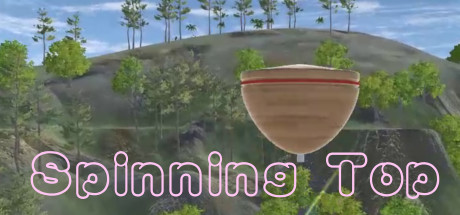
Developer
Publisher
Release
May 25, 2021
5 years and 70 days ago
Steam Reviews
Awaiting reviews
Does this feel indie?
Vote based on whether this game feels indie to you. You can change your vote at any time. Results earn an IGF score after 10 accepted votes.No votes yet
Game contextLatest: IGF Team
| ContextThe evidence factors used to assess whether this game belongs on IndieGame.Fan. | Status | Notes Latest Contributor: IGF TeamEdit notes |
|---|---|---|
Media
11 itemsAbout the Game
Spinning top
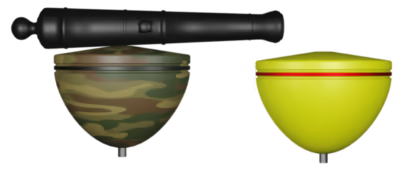
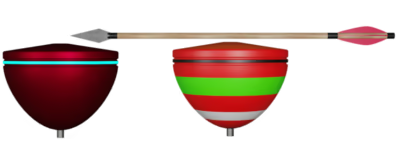
Be a Spinning Top, you are free to run, jump, fly and kick enemies out of space or destroy they.
Your mission is to collect keys or go all the way to the end of platform, or push the balls to the right color hole.
In final level, you need to destroy all enemies do to win this game.
You can kick rubber enemy by just touch it.
You can destroy the other enemies by tread on the top.
In certain levels, you need to destroy all enemies in order to touch the "key".
Take a good use of the shields in final level.
Instruction
1. WASD --- forward, turn left, back, turn right.
2. Space bar --- jump.
3. Mouse wheel --- forward and backward.
4. Mouse wheel press --- jump.
5. Left mouse button --- turn left.
6. Right mouse button --- turn right.
7. Game joystick --- Left button (up, down, left, right)-forward, backward, turn left, turn right.
8. Game joystick --- left joystick-forward, backward, turn left, turn right.
9. Joystick --- Front (L1 L2 R1 R2)-Jump.
10. Start button or pause button(middle right) --- pause and resume.("Backspace")
11. Selection button or back button(middle left) --- Quit game.
Be a Spinning Top, you are free to run, jump, fly and kick enemies out of space or destroy they.
Your mission is to collect keys or go all the way to the end of platform, or push the balls to the right color hole.
In final level, you need to destroy all enemies do to win this game.
You can kick rubber enemy by just touch it.
You can destroy the other enemies by tread on the top.
In certain levels, you need to destroy all enemies in order to touch the "key".
Take a good use of the shields in final level.
Instruction
1. WASD --- forward, turn left, back, turn right.
2. Space bar --- jump.
3. Mouse wheel --- forward and backward.
4. Mouse wheel press --- jump.
5. Left mouse button --- turn left.
6. Right mouse button --- turn right.
7. Game joystick --- Left button (up, down, left, right)-forward, backward, turn left, turn right.
8. Game joystick --- left joystick-forward, backward, turn left, turn right.
9. Joystick --- Front (L1 L2 R1 R2)-Jump.
10. Start button or pause button(middle right) --- pause and resume.("Backspace")
11. Selection button or back button(middle left) --- Quit game.
