

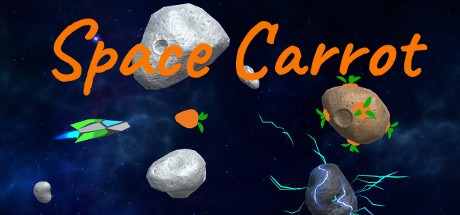
Space Carrot
Arcade game about collecting carrot growing on asteroids. Perfect way to spend 5 minutes while waiting for something. Best played with a gamepad.
Developer
Publisher
Release
December 4, 2019
6 years and 243 days ago
Steam Reviews
6 user reviews6 reviews100.0%
Does this feel indie?
Vote based on whether this game feels indie to you. You can change your vote at any time. Results earn an IGF score after 10 accepted votes.No votes yet
Game contextLatest: IGF Team
| ContextThe evidence factors used to assess whether this game belongs on IndieGame.Fan. | Status | Notes Latest Contributor: IGF TeamEdit notes |
|---|---|---|
Media
7 itemsAbout the Game
Space Carrot is a simple arcade score-chasing game about collecting carrot growing on asteroids, where the only goals are to beat records and unlock new ships.
Collect carrot.
Evade dangerous asteroids.
Try to survive as long as you can.
Watch the fuel! Ship control will start to fail, if you have little fuel.
Collecting carrot restores ship health and fuel.
Buy new ships with unique abilities.
Use those abilities to survive longer.
Best played with a gamepad.
Move your mouse over the screen or use Gamepad left stick to aim the ship.
Press 'Escape' or Gamepad 'Y' to pause the game.
Ships with special abilities:
Gameplay
Collect carrot.
Evade dangerous asteroids.
Try to survive as long as you can.
Watch the fuel! Ship control will start to fail, if you have little fuel.
Collecting carrot restores ship health and fuel.
Buy new ships with unique abilities.
Use those abilities to survive longer.
Controls
Best played with a gamepad.
Move your mouse over the screen or use Gamepad left stick to aim the ship.
Press 'Escape' or Gamepad 'Y' to pause the game.
Ships with special abilities:
- Slow-mo: Left Mouse Button, or Gamepad 'A'
- Turbo: Right Mouse Button, or Gamepad 'B'
