

...INDIE
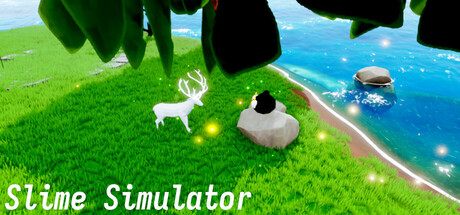
Slime Simulator
You need to obtain food to survive, and you can transform into the animals you hunt.
Developer
Publisher
Release
Coming Soon
Steam Reviews
No reviews yet
Game contextLatest: IGF Team
| ContextThe evidence factors used to assess whether this game belongs on IndieGame.Fan. | Status | Notes Latest Contributor: IGF TeamEdit notes |
|---|---|---|
Media
7 itemsAbout the Game
You must obtain food and water to stay alive.
You can hunt creatures and obtain their transformation cards, which you can use to transform into the corresponding creature.
Each creature has different abilities and survival methods.
All food has an expiration date, and after expiration, it becomes toxic.
You can use the [WASD] keys on your keyboard to move around, and the mouse to control the camera.
Press [C] to open the character details
Press [I] to open the character inventory
Press [K] to open the character skills details
Press [F] to pick up items
Press [~] to show a hidden mouse cursor
Press [Tab] to switch characters
Press [Shift] to move faster
Press [Ctrl] to move slower
Press [Alt] to lock the camera
You can change the game view using the mouse wheel.
[Q, E] and the left and right mouse buttons each have different functions for each character.
You can set the key bindings to your preference.
YouTube Videos
Most viewedNo videos are available for this game yet.
User Comments
Join the conversation in this game’s community chat.
