

Shortcuit
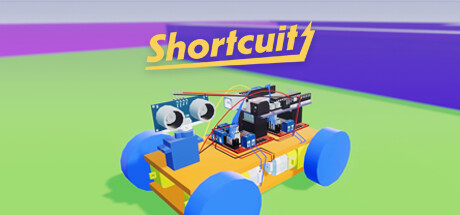
Shortcuit is an educational sandbox game to learn electronics and Arduino programming (C++). The game simulates electronics and the Arduino microcontroller which allow you to create your own projects virtually.
Developer
Publisher
Unknown
Release
Coming Soon
Steam Reviews
No reviews yet
Does this feel indie?
Vote based on whether this game feels indie to you. You can change your vote at any time. Results earn an IGF score after 10 accepted votes.No votes yet
Game contextLatest: IGF Team
| ContextThe evidence factors used to assess whether this game belongs on IndieGame.Fan. | Status | Notes Latest Contributor: IGF TeamEdit notes |
|---|---|---|
Updated: Jul 13, 2026Developer scaleThe operating scale of the game's developer. | ||
Updated: Jul 16, 2026Publisher scaleThe operating scale of the game's publisher. | ||
Updated: Jul 16, 2026Publisher statusHow the game's publishing relationship is classified. | ||
Updated: Jul 16, 2026Release statusWhether and how the game has been released. |
Media
11 itemsAbout the Game
Note: To compile Arduino scripts, you will need to download and select the Arduino CLI exe file location in the settings menu.
Shortcuit is an educational sandbox game to learn electronics and Arduino programming (C++). The game simulates electronics and the Arduino microcontroller which allow you to create your own projects virtually.
The code editor uses the existing Arduino CLI software to compile sketches. You can download this software from the official Arduino website.
Some of the videos have been sped up as the simulation speed can be a bit slower at times and is also quite dependent on the performance of your PC.
Shortcuit is an educational sandbox game to learn electronics and Arduino programming (C++). The game simulates electronics and the Arduino microcontroller which allow you to create your own projects virtually.
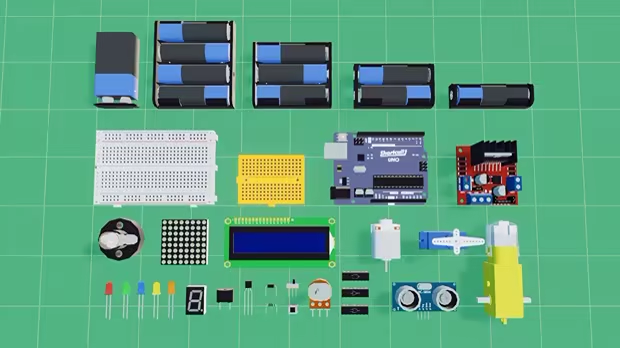
Electronic Components
- Batteries (1.5V, 3V, 4.5V, 9V)
- Lights (5mm LED, Light Bulbs)
- Displays (16x2 LCD, 8x8 LED Dot Matrix)
- Motors (DC Motor, Mini Servo, TT Gearmotor)
- L298N Motor Driver
- Passive Buzzer
- Logic gate ICs (SN74XX: AND, OR, NOT)
- Diode 1N4148
- Transistor BC550C
- Switches (Pushbutton, Slide Switch)
- Resistors (E12 Resistors, Potentiometer)
- Breadboards (Small/Mini)
- Ultrasonic Distance Sensor
- Shortcuit Uno (microcontroller) - Arduino Uno simulation
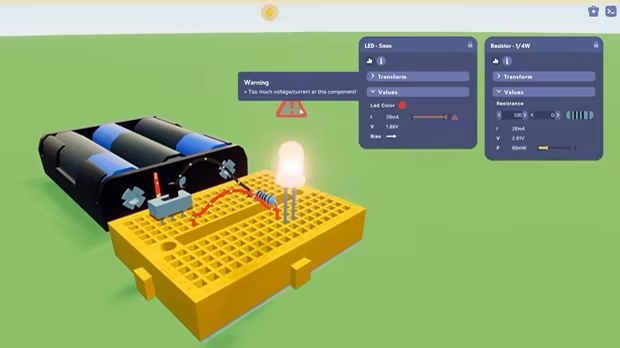
Info Popup + Warning
Read simulated electrical values (current, voltage, power, ...), and change component specific values (eg. resistor value). A warning sign appears when there’s something wrong with your circuit. You can hover over the warning sign to get a bit more information.Code Editor
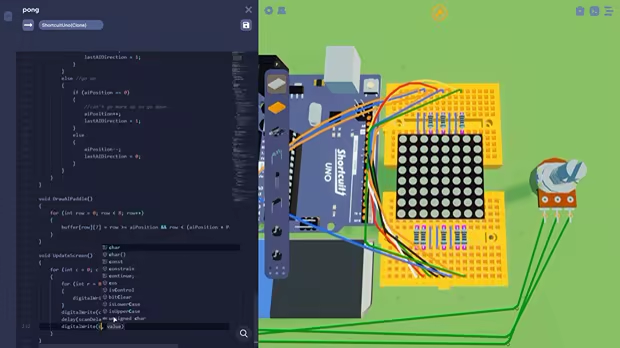
Program your own scripts in C++ with the in-game Code Editor. It has basic autocompletion, an output window for code compilation/errors and a Serial Monitor for debugging.The code editor uses the existing Arduino CLI software to compile sketches. You can download this software from the official Arduino website.
Physics and shapes
Electronics components alone are often not enough for the projects you may want to build. For a lot of projects we need a frame, a housing or just something to interact with. That’s why we’ve added some primitive shapes which can be resized and combined to fit your projects.Electronics Simulation
The electronics simulation is based on nodal analysis which allows for realistic electric values and behavior. Our Shortcuit Uno emulates the Arduino AVR architecture allowing it to run real compiled Arduino code.Some of the videos have been sped up as the simulation speed can be a bit slower at times and is also quite dependent on the performance of your PC.
