

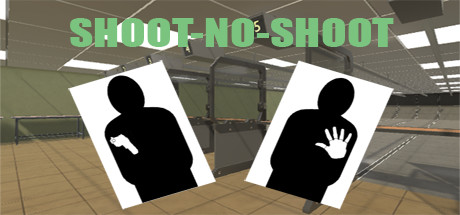
Shoot-No-Shoot
This is a shoot, no shoot simulation. It offers three ranges. An indoor range with flip targets with closer spacing for the targets, an outdoor range with pop targets with wider target placement, and a second outdoor range with random popups.
Developer
Publisher
Release
September 7, 2018
7 years and 331 days ago
Steam Reviews
1 user reviews1 reviews100.0%
Does this feel indie?
Vote based on whether this game feels indie to you. You can change your vote at any time. Results earn an IGF score after 10 accepted votes.No votes yet
Game contextLatest: IGF Team
| ContextThe evidence factors used to assess whether this game belongs on IndieGame.Fan. | Status | Notes Latest Contributor: IGF TeamEdit notes |
|---|---|---|
Media
6 itemsAbout the Game
This is a shoot, no shoot simulation. Shoot the targets with weapons, being careful to not shoot the targets without weapons or with a badge.
It offers four modes of play. An indoor range with flip targets with closer spacing for the targets, an outdoor range with pop targets with wider target placement, a second outdoor range with random popups, and a range with scored break away targets.
Use the left thumb stick to adjust how many targets (right for more, left for less), and how far away they are (up for further away, down for closer). Use the right thumb stick (right for more, left for less) to set the length of the shoot in minutes. To start the shoot just pull either the left or the right trigger. To return to the range selection or to exit press either the Y or B buttons on the Rift, or Menu button on a Microsoft Mixed Reality controller.
It offers four modes of play. An indoor range with flip targets with closer spacing for the targets, an outdoor range with pop targets with wider target placement, a second outdoor range with random popups, and a range with scored break away targets.
Use the left thumb stick to adjust how many targets (right for more, left for less), and how far away they are (up for further away, down for closer). Use the right thumb stick (right for more, left for less) to set the length of the shoot in minutes. To start the shoot just pull either the left or the right trigger. To return to the range selection or to exit press either the Y or B buttons on the Rift, or Menu button on a Microsoft Mixed Reality controller.
