

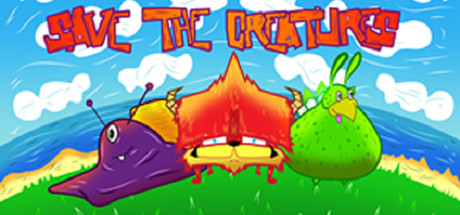
Save the Creatures
* Creatures Need Your Help *Help to direct creatures through danger and get home. Different obstacles will try to stop you but you will have items to help but they will be limited....How many can you save??
Developer
Publisher
Release
October 19, 2015
10 years and 289 days ago
Steam Reviews
Awaiting reviews
Does this feel indie?
Vote based on whether this game feels indie to you. You can change your vote at any time. Results earn an IGF score after 10 accepted votes.No votes yet
Game contextLatest: IGF Team
| ContextThe evidence factors used to assess whether this game belongs on IndieGame.Fan. | Status | Notes Latest Contributor: IGF TeamEdit notes |
|---|---|---|
Media
7 itemsAbout the Game
* Creatures Need Your Help *
Help to direct creatures through danger and get home. Different obstacles will try to stop you but you will have items to help but they will be limited....How many can you save??
Game Description
There are three different types of creatures that will need help getting home on over 80 levels across 3 different lands, each of which will bring their own challenges and trials to try and get through. You will be given different items to aid you such as bridges and arrows but each map will have a limited amount so use them wisely.
Controls
Use the Left Mouse Button to select and place the items on the maps,
Use the Right Mouse Button to scroll the map around.
There is a + and a - in the top corner to zoom in and out.
