

...INDIE
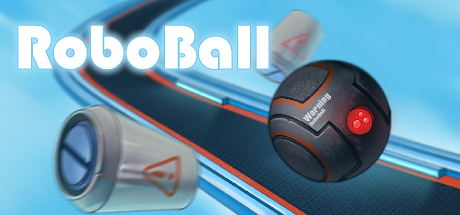
RoboBall
RoboBall is a spatial puzzle game based on physics and logical thinking.
Developer
Publisher
Release
November 16, 2018
7 years and 306 days ago
Steam Reviews
Mostly Positive33 reviews75.8%
Game contextLatest: IGF Team
| ContextThe evidence factors used to assess whether this game belongs on IndieGame.Fan. | Status | Notes Latest Contributor: IGF TeamEdit notes |
|---|---|---|
Updated: Jul 14, 2026Developer scaleThe operating scale of the game's developer. | ||
Updated: Jul 14, 2026Publisher scaleThe operating scale of the game's publisher. | ||
Updated: Jul 14, 2026Publisher statusHow the game's publishing relationship is classified. | ||
Updated: Jul 14, 2026Creative controlWho appears to retain creative control of the game. | ||
Updated: Jul 14, 2026Release statusWhether and how the game has been released. |
Media
7 itemsAbout the Game

RoboBall is a game in which you control a ball-shaped robot and solve physics- and logic-based puzzles. Your goal is to control various mechanisms in order to reach the end of the level, where you will find a teleporter that will take you to the next level.
Puzzles
On every stage you will find a large number of different mechanisms, buttons, laser switches, and doors. To open a door, start an elevator, or simply activate a certain mechanism, you will need to activate a button. Sometimes you can't do it by yourself and will need some help from metal balls, barrels, or crates. But don't forget that they might also need your help to perform certain actions.
Workshop
RoboBall has a level editor that is very flexible and packed with functionality. All of the levels in the game were created using this editor. Place static objects such as zones, paths, glass tubes, and metal tracks. Active objects perform various functions. These include doors, elevators, and machines that create metal balls, crates, or barrels. Buttons deserve special attention. You can use them to open or close doors, activate elevators, or deactivate turbines that are preventing you or any other physical object from advancing. There are two different kinds of buttons in the game: switches, which activate the objects they are linked to and then turn them off again when pressed a second time, and triggers, which activate objects as long as you or another physical object remains on top of them. When the object leaves the trigger, the objects linked to the button are deactivated.
Once you've created a level you can publish it in the workshop. You can also play other players' levels.
YouTube Videos
Most viewedNo videos are available for this game yet.
User Comments
Join the conversation in this game’s community chat.
