

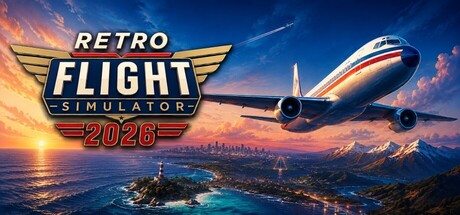
Retro Flight Simulator 2026
Take off from airports around the world and explore a retro-styled open world from the cockpit of a passenger jet. Plan routes, use autopilot, fly through changing environments, and land at global destinations in a lightweight single-player flight simulation.
Does this feel indie?
Vote based on whether this game feels indie to you. You can change your vote at any time. Results earn an IGF score after 10 accepted votes.| ContextThe evidence factors used to assess whether this game belongs on IndieGame.Fan. | Status | Notes Latest Contributor: IGF TeamEdit notes |
|---|---|---|
Media
19 itemsAbout the Game
Explore the World from the Sky!
Retro Flight Simulator 2026 is a lightweight single-player flight simulation that lets you take off from airports around the world and travel across a large, retro-styled 3D world.
Choose your departure and destination airports, generate a flight route, and fly a passenger jet through takeoff, climb, cruise, descent, approach, and landing.
Plan and Fly Your Route
Use the built-in route planner and autopilot to travel between global destinations, or take manual control of the aircraft at any time. Long-distance routes are designed to guide the aircraft through each stage of flight.
Discover Global Locations
Fly over terrain, cities, coastlines, mountains, and recognizable landmarks inspired by real-world locations. Visit destinations across North America, Europe, Asia, and other regions of the world.
Key Features
-Single-player passenger jet flight simulation
-Airports and destinations around the world
-Automatic route generation
-Takeoff, climb, cruise, descent, approach, and landing stages
-Autopilot and manual flight controls
-3D terrain, cities, roads, water, and landmarks
-Day, night, sunrise, and sunset environments
-Cockpit, passenger, and external camera views
-Aircraft lights, landing gear, flaps, spoilers, and reverse thrust
-Save and load your flight progress
-Retro-inspired visuals designed for accessible performance
Retro Flight Simulator 2026 focuses on accessible world exploration and enjoyable long-distance flying rather than highly complex professional aircraft procedures.
Flight Controls
ESC – Pause Menu / Resume Game
1 – Throttle Down
Double Tap 1 – Reverse Thrust
2 – Throttle Up
↑ / ↓ – Pitch Up / Down
← / → – Roll Left / Right
Numpad 0 – Rudder Left
Numpad Enter – Rudder Right
3 – Extend Flaps
4 – Retract Flaps
< (Comma) – Toggle Landing Gear
> (Period) – Wheel Brakes
? (Slash) – Speed Brake
Drone Camera
Numpad * – Toggle Drone Camera
Numpad 8 / 2 – Move Forward / Backward
Numpad 4 / 6 – Move Left / Right
Numpad 7 / 9 – Rotate Left / Right
Numpad 1 / 3 – Look Up / Down
Enter – Move Up
Shift – Move Down
Numpad + / - – Increase / Decrease Drone Speed
Passenger Mode
W A S D – Walk Around the Cabin
E – Sit Down / Interact
