

...INDIE
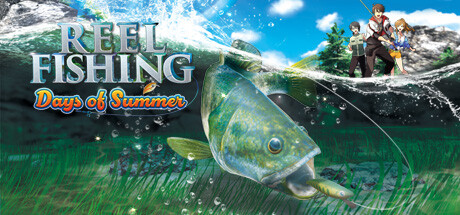
Reel Fishing: Days of Summer
Catch the largest of lunkers from a variety of picturesque locales! Join three good friends as they spend the last days of summer together with one last memorable fishing trip!
Developer
Publisher
Release
November 13, 2024
1 year and 350 days ago
Steam Reviews
7 user reviews7 reviews85.7%
Game contextLatest: IGF Team
| ContextThe evidence factors used to assess whether this game belongs on IndieGame.Fan. | Status | Notes Latest Contributor: IGF TeamEdit notes |
|---|---|---|
Updated: Jul 14, 2026Developer scaleThe operating scale of the game's developer. | ||
Updated: Jul 14, 2026Publisher scaleThe operating scale of the game's publisher. | A separate publisher is listed without a proven bounded regional or service-only role. | |
Updated: Jul 14, 2026Release statusWhether and how the game has been released. | The title released with a separate publisher relationship. |
Media
6 itemsAbout the Game

Your Ultimate Fishing Trip Awaits!
Catch the largest of lunkers from a variety of picturesque locales! Join three good friends as they spend the last days of summer together with one last memorable fishing trip! Catch over 40 species of fish from 14 different fishing locations and craft over 50 different kinds of tackle to lure the rarest of fish! You can even keep fish in a beautiful aquarium while leveling up and gaining new and exciting skills!
• Play as three different characters, each with their own strengths, weaknesses, and personalities!
• Craft and upgrade over 50 kinds of reels, rods, and lures!
• Fish everywhere from a gentle river stream to a tropical forest!
• •
• Keep and view fish in your aquarium!
• Take on different fishing challenges and side quests!
• Cook and eat different meals and snacks with unique effects that will help your angling!
* A controller is recommended for the best experience.
To set up your controller, right click on Reel Fishing: Days of Summer in your Steam Library, then select "Properties...". From there, select "Controller", then "Enable Steam Input". In the same window, click on "Controller Configuration" to go to the Controller Layout settings screen. From there, change the current button layout to the "Gamepad" template.
* You can change the keyboard layout by selecting "Settings" on the Title Screen or Pause Menu and then selecting "Keyboard".
* Please note that mouse controls are not supported.
YouTube Videos
Most viewedNo videos are available for this game yet.
User Comments
Join the conversation in this game’s community chat.
