

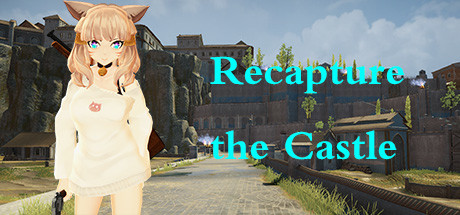
Recapture the Castle
Recapture the Castle is a third-person shooter game. The invaders have occupied the castle. Now you need to take up arms to destroy the invaders.
Developer
Publisher
Release
June 7, 2021
5 years and 57 days ago
Steam Reviews
Mixed31 reviews54.8%
Does this feel indie?
Vote based on whether this game feels indie to you. You can change your vote at any time. Results earn an IGF score after 10 accepted votes.No votes yet
Game contextLatest: IGF Team
| ContextThe evidence factors used to assess whether this game belongs on IndieGame.Fan. | Status | Notes Latest Contributor: IGF TeamEdit notes |
|---|---|---|
Updated: Jul 14, 2026Developer scaleThe operating scale of the game's developer. | ||
Updated: Jul 14, 2026Publisher scaleThe operating scale of the game's publisher. | ||
Updated: Jul 14, 2026Publisher statusHow the game's publishing relationship is classified. | ||
Updated: Jul 14, 2026Creative controlWho appears to retain creative control of the game. | ||
Updated: Jul 14, 2026Release statusWhether and how the game has been released. |
Media
8 itemsAbout the Game
Recapture the Castle is a third-person shooter game. The invaders have occupied the castle. Now you need to take up arms to destroy the invaders.
There are five roles to choose from
Advanced AI
A grand castle
Can summon pets (press F)
Press F2 to join the AI. If other players join the game, the AI will be destroyed. Press Tab to view player information, and press Z to exit the multiplayer game.
Multiplayer game computer configuration requirements: Intel HD Graphics 4000 or better
To jump forward, you need to press the W key first, then the space bar.
Main Features
There are five roles to choose from
Advanced AI
A grand castle
Can summon pets (press F)
Online multiplayer games
Press F2 to join the AI. If other players join the game, the AI will be destroyed. Press Tab to view player information, and press Z to exit the multiplayer game.
Multiplayer game computer configuration requirements: Intel HD Graphics 4000 or better
About jumping
To jump forward, you need to press the W key first, then the space bar.
