

...INDIE
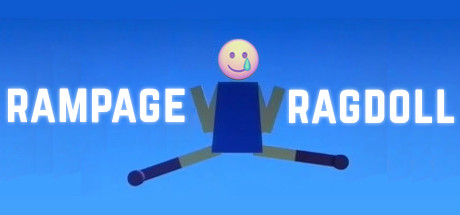
Rampage Ragdoll
Rampage Ragdoll is a ragdoll fight funny action game. Game Mode:Single Player Mode and Two Players Mode. Single Player Mode:Control the Player1 Ragdoll vs the AI Ragdoll. Two Players Mode: Player1 Ragdoll vs the Player2 Ragdoll. Control:Support keyboard and xbox controller.
Developer
Publisher
Release
January 9, 2018
8 years and 295 days ago
Steam Reviews
Mostly Negative32 reviews37.5%
Game contextLatest: IGF Team
| ContextThe evidence factors used to assess whether this game belongs on IndieGame.Fan. | Status | Notes Latest Contributor: IGF TeamEdit notes |
|---|---|---|
Updated: Jul 14, 2026Developer scaleThe operating scale of the game's developer. | ||
Updated: Jul 14, 2026Publisher scaleThe operating scale of the game's publisher. | A separate publisher is listed without a proven bounded regional or service-only role. | |
Updated: Jul 14, 2026Release statusWhether and how the game has been released. | The title released with a separate publisher relationship. |
Media
9 itemsAbout the Game
Rampage Ragdoll is a ragdoll fight funny action game.
Game Mode:Single Player Mode and Two Players Mode.
Single Player Mode:Control the Player1 Ragdoll vs the AI Ragdoll.
Two Players Mode: Player1 Ragdoll vs the Player2 Ragdoll.
Control:Support keyboard and xbox controller.
Keyboard control:
player1:
Torso Move Up:default keyboard button w;
Torso Move Left:default keyboard button q;
Torso Move Right:default keyboard button e;
Torso Rotate Left:default keyboard button 1;
Torso Rotate Right:default keyboard button 3;
Left Leg Rotate Left:default keyboard button a;
Left Leg Rotate Right:default keyboard button s;
Right Leg Rotate Left:default keyboard button d;
Right Leg Rotate Right:default keyboard button f;
player2:
Torso Move Up:default keyboard button i;
Torso Move Left:default keyboard button u;
Torso Move Right:default keyboard button o;
Torso Rotate Left:default keyboard button 7;
Torso Rotate Right:default keyboard button 9;
Left Leg Rotate Left:default keyboard button h;
Left Leg Rotate Right:default keyboard button j;
Right Leg Rotate Left:default keyboard button k;
Right Leg Rotate Right:default keyboard button l;
Game Mode:Single Player Mode and Two Players Mode.
Single Player Mode:Control the Player1 Ragdoll vs the AI Ragdoll.
Two Players Mode: Player1 Ragdoll vs the Player2 Ragdoll.
Control:Support keyboard and xbox controller.
Keyboard control:
player1:
Torso Move Up:default keyboard button w;
Torso Move Left:default keyboard button q;
Torso Move Right:default keyboard button e;
Torso Rotate Left:default keyboard button 1;
Torso Rotate Right:default keyboard button 3;
Left Leg Rotate Left:default keyboard button a;
Left Leg Rotate Right:default keyboard button s;
Right Leg Rotate Left:default keyboard button d;
Right Leg Rotate Right:default keyboard button f;
player2:
Torso Move Up:default keyboard button i;
Torso Move Left:default keyboard button u;
Torso Move Right:default keyboard button o;
Torso Rotate Left:default keyboard button 7;
Torso Rotate Right:default keyboard button 9;
Left Leg Rotate Left:default keyboard button h;
Left Leg Rotate Right:default keyboard button j;
Right Leg Rotate Left:default keyboard button k;
Right Leg Rotate Right:default keyboard button l;
YouTube Videos
Most viewedNo videos are available for this game yet.
User Comments
Join the conversation in this game’s community chat.
