

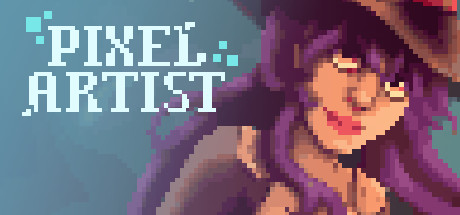
Pixel Artist
Pixel Artist is a relaxing PIXEL PAINTING game. Complete 48 unique and fun paintings in a variety of themes, art styles, and sizes in preset colors. Brush sizes, magic fill, selection color options, and more make this a soothing and calming way to spend your time. Zone out and join us in coloring!
Developer
Publisher
Release
March 9, 2022
4 years and 147 days ago
Steam Reviews
Positive24 reviews87.5%
Does this feel indie?
Vote based on whether this game feels indie to you. You can change your vote at any time. Results earn an IGF score after 10 accepted votes.No votes yet
Game contextLatest: IGF Team
| ContextThe evidence factors used to assess whether this game belongs on IndieGame.Fan. | Status | Notes Latest Contributor: IGF TeamEdit notes |
|---|---|---|
Updated: Jul 14, 2026Developer scaleThe operating scale of the game's developer. | ||
Updated: Jul 14, 2026Publisher scaleThe operating scale of the game's publisher. | ||
Updated: Jul 14, 2026Publisher statusHow the game's publishing relationship is classified. | ||
Updated: Jul 14, 2026Creative controlWho appears to retain creative control of the game. | ||
Updated: Jul 14, 2026Release statusWhether and how the game has been released. |
Media
9 itemsAbout the Game
Pixel Artist is a relaxing PIXEL PAINTING game. Complete 48 unique and fun paintings in a variety of themes, art styles, and sizes in preset colors. Brush sizes, magic fill, selection color options, and more make this a soothing and calming way to spend your time. Zone out and join us in coloring!
The goal of the game is simple: Relax and Paint through the images at your own pace.
FEATURES:
- 48 Unique and Fun paintings.
- The paintings include a large variety of styles, themes, pixel count variation, and content!
- Brush sizes make painting how you like more convenient. If you're a pixel-by-pixel person or just like to color, there's an option for you.
- Magic Fill helps you fill larger areas of connected pixels. Watch it flood out and fill in your areas based on where you click.
- Change the color of your active painting area for easy visibility even in bright images. This also helps find those pesky last pixels!
- Palette options: A randomized palette everytime you play can make replaying a totally different experience. You can also list from least to most (or most to least) amount of pixels per color.
- Calming music lulls you while you play. (Or turn it off and jam out to your own music!)
- Change grid settings to what you like.
- Leave paintings in the middle and return to saved progress.
- Repaint completed images that you enjoyed!
- The palette auto-selects the next colors for a seamless coloring experience.
- Select colors in the painting area if you like to complete sections at a time.
