

...INDIE
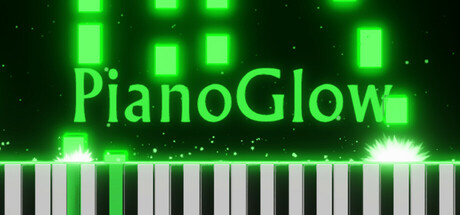
Piano Glow
Piano in online multiplayer lobbies, with leaderboards, gamified training modes (ear, sheet, rhythm and falling notes). Play any song using either a QWERTY computer/laptop keyboard or a piano. Suitable for all levels including beginners with no experience!
Developer
Publisher
Release
March 10, 2025
1 year and 234 days ago
Steam Reviews
Very Positive245 reviews98.4%
Game contextLatest: IGF Team
| ContextThe evidence factors used to assess whether this game belongs on IndieGame.Fan. | Status | Notes Latest Contributor: IGF TeamEdit notes |
|---|---|---|
Updated: Jul 10, 2026Developer scaleThe operating scale of the game's developer. | ||
Updated: Jul 10, 2026Publisher scaleThe operating scale of the game's publisher. | ||
Updated: Jul 10, 2026Publisher statusHow the game's publishing relationship is classified. | ||
Updated: Jul 10, 2026Release statusWhether and how the game has been released. |
Media
9 itemsAbout the Game
PianoGlow is a piano game featuring:
Multiplayer
Show-off your piano skills & listen to others around the globe.
Queue-based mode to take turns playing piano.
Several multiplayer modes, including queue, guess drawing (draw while playing piano), guess songs (players play a song and guess each other's song).
Global and private chatrooms. Voice chat and friend/block lists.
Offline and single-player mode.
Works with both QWERTY keyboard, a real digital piano or MIDI controllers
Play any music or song with a QWERTY keyboard (laptop/computer).
Or connect to a real digital piano or MIDI controller via Bluetooth or USB-B.
Any song works with any size keyboard, even as small as 25, since the PianoGlow app can auto-convert any MIDI or song to a smaller one.
Velocity integration with Wooting Analog QWERTY keyboards so that you can play with dynamics on the computer keyboard (loud & soft).
Record & load MIDI files (live play or render as video from within the app).
Training modes & tools
Ear training, rhythm, falling notes, chord, scales, arpeggios & sheet music game modes. Perfect for all levels (including beginners with no experience).
Customizable setting in many training modes to auto-pause until you hit the next correct note/chord (auto-pause on by default).
Tracks stats and shows wrong answers more often to focus on your weaknesses. Unlock achievements!
Detailed calendar that shows exactly how much you practiced each day and month.
AI-based fingering, help determine which fingers to use on any MIDI file or song.
AI-based converter that adjusts any MIDI/MusicXML or song to fit into a smaller piano/keyboard.
Interactive Circle-of-Fifths cheat sheet - clicking shows the common chord triads, key signature and the 7th chords.
Automated Chord Name Identifier & Intervals when you play any chord on the piano.
Lighted Keyboards - lights up the indicators on your MIDI keyboard in falling notes.
Upload any MIDI or MusicXML file to practice music with, and it will show both Falling Notes and Sheet Music notation.
Set any custom time-range and loop practice it. It will remember the time-range for when you re-visit the song.
MIDI Editor - create new songs and edit your performances/recordings.
MIDI Loop - loop your playing and layer in different SoundFonts.
Customizable themes
Stunning visuals & particle effects that move in sync with the tempo of your playing.
Upload video files as the background.
3D camera customization - slant/rotate your 3D piano and effects however you see wish.
3D sheet music visualization with glowing orbs and 3D lighting effects.
QWERTY features
Auto-play QWERTY sheet music (semi-auto included).
Typing game modes, where falling notes (and sheet music based notation) are also shown with QWERTY notes.
Velocity settings such as predictive or random velocity, adjust velocity curve and more.
Transpose detection - press TAB to auto-transpose to the next auto-detected transpose in QWERTY sheets, or hold transpose and press a number to manually jump to a specific transpose.
In-game notepad for you to load or edit QWERTY sheets, with transpose tools and OCR.
Convert MIDI files to QWERTY.
Customizable Audio
Customizable reverb & equalizer audio effects.
Upload custom SoundFont (.sf2, .sf3) files, VST3 support and ASIO support.
Load multiple SoundFonts simultaneously (e.g. one for left-hand vs right-hand).
Create your own SoundFonts (by loading an MP3 or WAV and it will let you export a SoundFont file)!
Community
Discord community server, chat and share tips about piano.
Dedicated website and regular social media content.
Pay once and it's for a lifetime: all updates in the future will be free as part of your one-time purchase (instead of DLCs), with a heavy focus on user-feedback as seen on the news.
YouTube Videos
Most viewedNo videos are available for this game yet.
User Comments
Join the conversation in this game’s community chat.
