

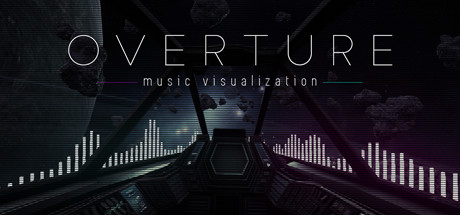
Overture Music Visualization
Overture Music Visualization is a music visualization experience for Windows, capturing audio in real-time from any source and creating effects that react to your music. It currently includes a stable desktop version, as well as a VR demo that supports the Oculus Rift.
Developer
Publisher
Unknown
Release
March 4, 2021
5 years and 152 days ago
Steam Reviews
Mixed46 reviews69.6%
Does this feel indie?
Vote based on whether this game feels indie to you. You can change your vote at any time. Results earn an IGF score after 10 accepted votes.No votes yet
Game contextLatest: IGF Team
| ContextThe evidence factors used to assess whether this game belongs on IndieGame.Fan. | Status | Notes Latest Contributor: IGF TeamEdit notes |
|---|---|---|
Updated: Jul 13, 2026Developer scaleThe operating scale of the game's developer. | ||
Updated: Jul 16, 2026Publisher scaleThe operating scale of the game's publisher. | ||
Updated: Jul 16, 2026Publisher statusHow the game's publishing relationship is classified. | ||
Updated: Jul 13, 2026Creative controlWho appears to retain creative control of the game. | ||
Updated: Jul 16, 2026Release statusWhether and how the game has been released. |
Media
14 itemsAbout the Game
Overture Music Visualization is a solo-dev project created in Unreal Engine and released for the Windows platform. It captures audio in realtime from any source, including Youtube, Spotify, Pandora, VLC and others, and features 50+ customization options across several categories. The goal of the Overture project is to create a versatile, general purpose music visualization utility with robust configuration options to make it suitable for personal use, video creation, or streaming.
22 Unique Scenes
A small library of visualization scenes with several different themes: sci-fi, retro-futuristic, dystopian, space, and nature. Utilize the in-game lower-third menu to adjust lighting, color grading, post process effects, sensitivity and color schemes. Save your favorite effects and configure a scene playlist to automatically cycle through your chosen scenes at a time interval you specify.
VR Experience
For users with a VR headset, try out the spaceship VR demo and experience completely immersive realtime music visualization. Use motion controllers to adjust 8 different effects on the fly and spawn new objects that react to your sound.
Regarding System Requirements
The project supports both 3D and "minimal" scenes (as denoted in the scene selection menu) in an attempt to provide a wider range of support. The 3D scenes are more resource intensive, and have been tested and run above 90 FPS on a machine with the following specs:
8GB DDR4 SDRAM 3200
GeForce GTX 970 4GB Graphics Card
Intel Core i7 6700K 4.00 GHz Processor
Minimal scenes are performant on machines with much lower capabilities.
Important Notes
22 Unique Scenes
A small library of visualization scenes with several different themes: sci-fi, retro-futuristic, dystopian, space, and nature. Utilize the in-game lower-third menu to adjust lighting, color grading, post process effects, sensitivity and color schemes. Save your favorite effects and configure a scene playlist to automatically cycle through your chosen scenes at a time interval you specify.
VR Experience
For users with a VR headset, try out the spaceship VR demo and experience completely immersive realtime music visualization. Use motion controllers to adjust 8 different effects on the fly and spawn new objects that react to your sound.
Regarding System Requirements
The project supports both 3D and "minimal" scenes (as denoted in the scene selection menu) in an attempt to provide a wider range of support. The 3D scenes are more resource intensive, and have been tested and run above 90 FPS on a machine with the following specs:
8GB DDR4 SDRAM 3200
GeForce GTX 970 4GB Graphics Card
Intel Core i7 6700K 4.00 GHz Processor
Minimal scenes are performant on machines with much lower capabilities.
Important Notes
- For best results, check your default audio device's bitrate settings and select the matching bitrate option in the game's settings
- Overture Music Visualization is not compatible with headphones that simulate surround sound. It is compatible with stereo headphones and surround sound speakers.
- Use space bar to open the effects customization panel in any scene
- If the bars or other lighting effects are not visible, check your operating system's volume and try turning it up or maximizing it. The OS volume controls can also be used as a secondary method of fine-tuning effect sensitivity.
