

...INDIE
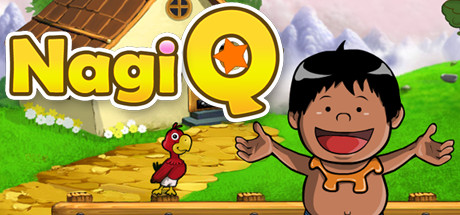
NagiQ
NagiQ is a game for lovers of words and brain challenges. More than 100 boards with mystic letters that must be connected with words. Help Nagi recover all of the letters and prove you're the legendary living dictionary.
Developer
Publisher
Release
March 5, 2020
6 years and 239 days ago
Steam Reviews
Awaiting reviews
Game contextLatest: IGF Team
| ContextThe evidence factors used to assess whether this game belongs on IndieGame.Fan. | Status | Notes Latest Contributor: IGF TeamEdit notes |
|---|---|---|
Media
6 itemsAbout the Game
A Classic Challenge for Word Lovers
NagiQ is a hand-drawn word game that pairs a family-friendly aesthetic with a challenging experience for those who love a mental workout! In NagiQ you think of English words and place them on a board, vertically or horizontally, trying to connect your words with some special, mystic letters already placed on the board.
Note to Players
A Real Challenge: Don't let the cute graphics fool you—while the themes are appropriate for all ages, the puzzles are designed to be a significant mental workout. Success requires a strong vocabulary and sharp spatial planning, especially as you reach the later islands.
Control Preference: While playable with a mouse, NagiQ is optimized for keyboard typists. Using a physical keyboard is much faster.
Classic Display: This is a classic title with a 4:3 aspect ratio. On 16:9 widescreen monitors, the game will display with side bars to preserve the original hand-drawn art.
NagiQ Islands
There are more than 100 levels grouped into 5 islands, and each island introduces variations to the basic gameplay:
Mindia Island: For completing Mindia’s boards we only have to conquer all of the mystic letters already placed on the board.
Vulcania Island: Vulcania’s boards contain bugs! Hopefully, not "programming bugs," but little creatures on cells of the board. We have to surround those bugs with letters, and also catch all of the mystic letters.
Nuntel Island: These boards have a timer! Don't worry, though, as the timer fully restarts with each word you place on the board.
Raspit Island: This island introduces an additional requirement, as any new word you place on the board will have to include orange tiles. Each time you play a new word on the board some of its letters will have their tiles colored orange. And your next words will have to include at least one of such letters in orange tiles.
Partok Island: An island whose boards combine challenges from previous islands.
Controls
Type a word with your keyboard. If the word is accepted by the game's dictionary then use your mouse to place the word on free cells of the board. Your word can overlap cells which are already occupied by a letter, but only if letters match. You can also use your mouse to type your word with the on-screen keyboard, but using a real keyboard is much faster.
Press the space bar to switch the orientation of your word (vertically or horizontally). Alternatively, do a right click with your mouse inside the board.
Press the backspace key to delete the last letter of the word you're currently typing. Alternatively, do a right click with your mouse outside the board.
Press the escape key to clear the word you're currently typing.
Press the enter key to place a word on the board. Or simply do a left click on the board.
The game has a little on screen keyboard which also has special buttons for some of these actions, such as changing the orientation of a word.
YouTube Videos
Most viewedNo videos are available for this game yet.
User Comments
Join the conversation in this game’s community chat.
