

Moxina
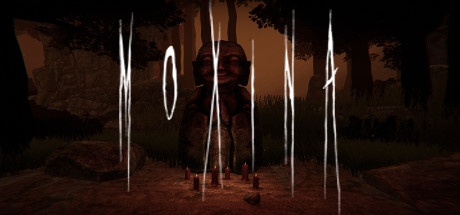
Moxina comes from the pronunciation of Mô-sîn-á in chinese. It is a Taiwan Folklore as it is a child-like ghost that frequently appeared in the forest. It would hypnosis the targeted person and bring him to the forest. [/img]
Developer
Publisher
Release
May 19, 2021
5 years and 75 days ago
Steam Reviews
Mixed11 reviews63.6%
Does this feel indie?
Vote based on whether this game feels indie to you. You can change your vote at any time. Results earn an IGF score after 10 accepted votes.No votes yet
Game contextLatest: IGF Team
| ContextThe evidence factors used to assess whether this game belongs on IndieGame.Fan. | Status | Notes Latest Contributor: IGF TeamEdit notes |
|---|---|---|
Media
7 itemsAbout the Game
Moxina is a First person Horror game. You will need to find keys to unlock some path and find ways to escape from moxina. Try to stay alive and don’t lose your way in the forests.
Story
Moxina comes from the pronunciation of Mô-sîn-á in chinese. It is a Taiwan Folklore as it is a child-like ghost that frequently appeared in the forest. It would hypnosis the targeted person and bring him to the forest. By toying with the victims, Moxina would feed the person with turd and insect by illusion.
The story begins with the main character becoming the scapegoat of his neighbour Mr.Huang and it continues...
Graphics
You can enable the effects (Bloom, Film Grain, Motion Blur, Ambient Occlusion) in the setting. It would be highly recommended to turn on the Bloom and ambient occlusion to enhance the game experience. However, It will slow down the fps at the sametime. It's best only when it fits to your computer graphics setting.
Story
Moxina comes from the pronunciation of Mô-sîn-á in chinese. It is a Taiwan Folklore as it is a child-like ghost that frequently appeared in the forest. It would hypnosis the targeted person and bring him to the forest. By toying with the victims, Moxina would feed the person with turd and insect by illusion.
The story begins with the main character becoming the scapegoat of his neighbour Mr.Huang and it continues...
Graphics
You can enable the effects (Bloom, Film Grain, Motion Blur, Ambient Occlusion) in the setting. It would be highly recommended to turn on the Bloom and ambient occlusion to enhance the game experience. However, It will slow down the fps at the sametime. It's best only when it fits to your computer graphics setting.
