

...INDIE
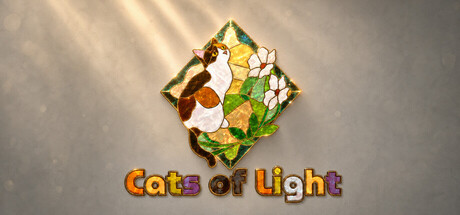
Cats of Light
Rotate and fit together beautiful shell-like pieces to reveal lively scenes of cats and their colorful world. Enjoy relaxing puzzle time with gentle music and delicate lighting.
Developer
Publisher
Release
August 7, 2026
84 days ago
Steam Reviews
6 user reviews6 reviews100.0%
Game contextLatest: IGF Team
| ContextThe evidence factors used to assess whether this game belongs on IndieGame.Fan. | Status | Notes Latest Contributor: IGF TeamEdit notes |
|---|---|---|
Media
29 itemsAbout the Game
Build a colorful world of cats from shell-like pieces
Cats of Light is a cat-themed puzzle game with pieces that have the colorful texture of seashells. Every picture revolves around cats, and when the final piece falls into place, the complete artwork slowly appears in flowing light. The game includes 5 chapters and 60 puzzles.
Start with the tray and find a home for every piece
Pick up pieces from the tray or the table, move and rotate them, study their outlines and colors, then join the parts that fit together. Neighboring pieces gradually combine into larger shapes, turning scattered clues into a clear picture.
Enjoy every puzzle at your own pace
There is no rush. Focus on shapes and colors, use a hint when you need one, or turn hints off and quietly finish the entire artwork. The pace is yours to choose. You can also view a thumbnail of the completed image or display its silhouette outline whenever you need a reference.
Every completion is a little exhibition
Gentle music and delicate lighting give each shell-like puzzle its own satisfying sense of occasion. Put every scattered piece in place and keep a quiet, rewarding moment for yourself.
Game Features
Handcrafted puzzles with colorful shell-like textures, themed around cats and their vibrant world
Artwork may feature one cat, several cats, or cats interacting with other elements
5 chapters and 60 puzzles, with a gradually increasing challenge
Move, rotate, and connect pieces to gradually assemble the full image
An organized, scrollable piece tray that keeps the table clear
A zoomable and pannable puzzle table, plus a completed-image thumbnail and silhouette outline for reference
Optional hints that offer a little help whenever you get stuck
Saved puzzle progress, so you can leave and return whenever you like
Gentle music, responsive lighting, and a celebratory completion display
Controls
Pick up and place: Left-click a piece to pick it up, move the mouse, then click again to place it. Bring matching pieces close to their correct positions and they will automatically join into a larger group.
Rotate pieces: Hover over a piece and right-click to rotate it by 90 degrees. You can also right-click at any time while holding a piece.
Use the tray: Scroll the mouse wheel to browse the pieces in the tray. When returning a piece, you can insert it at a chosen position, reorder it, or swap it with another piece.
Select multiple pieces: Hold the left mouse button and drag across an empty area of the table to draw a selection box, then move or rotate the selected pieces together.
Adjust the table view: Scroll the mouse wheel over the table to zoom. Drag with the middle mouse button, or hold Space and drag with the left mouse button, to pan.
View puzzle references: Use the buttons in the upper-right corner to show a thumbnail of the completed image or the puzzle's silhouette outline.
Get a hint: If you get stuck, click the hint button or press H for a clue toward the next connection. Hints can also be disabled in Settings.
Continue an unfinished puzzle: Your progress is saved automatically, so you can return to where you left off.
YouTube Videos
Most viewedNo videos are available for this game yet.
User Comments
Join the conversation in this game’s community chat.
