


MangaKa
MangaKa is a tool that helps artists who uses line art in their work, be it as a reference, guidelines, or even as final renders, to help them save time in production and speed up workflow!
Developer
Publisher
Release
April 27, 2023
3 years and 98 days ago
Steam Reviews
Mixed206 reviews67.5%
Does this feel indie?
Vote based on whether this game feels indie to you. You can change your vote at any time. Results earn an IGF score after 10 accepted votes.No votes yet
Game contextLatest: IGF Team
| ContextThe evidence factors used to assess whether this game belongs on IndieGame.Fan. | Status | Notes Latest Contributor: IGF TeamEdit notes |
|---|---|---|
Media
19 itemsAbout the Game
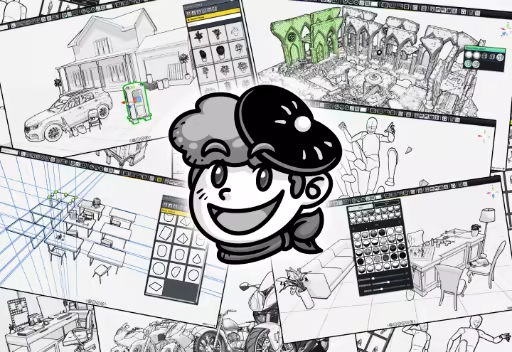
MangaKa is a tool that helps artists who uses line art in their work, be it as a reference, guidelines, or even as final renders, to help them save time in production and speed up workflow!
(All rendered images can be used for commercial purposes, such as comics, illustration, storyboards and more.)
You can find the complete content list here:
The base software includes the following libraries:
- Perspective Blocks
- Basic Human Mannequin Set
- Basic Shape Models
- Interior Floor Plan Models
- Basic Walls, Windows and Doors
- Simple Furnitures
- Simple Indoor Props
- basic buildings.
- home appliances.
- roads.
- street props.
- vihecles.
- trees and stones.
Perspective Tools
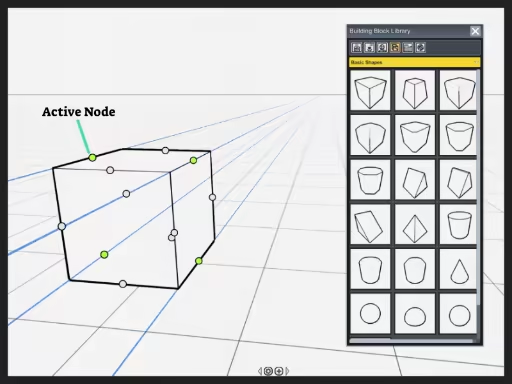
- Perspective blocks with line toggles.
- Toggle between "see through" and solid mode.
- Grid and horizontal line.
3D Poser
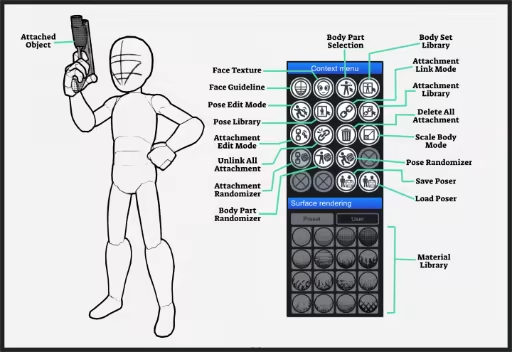
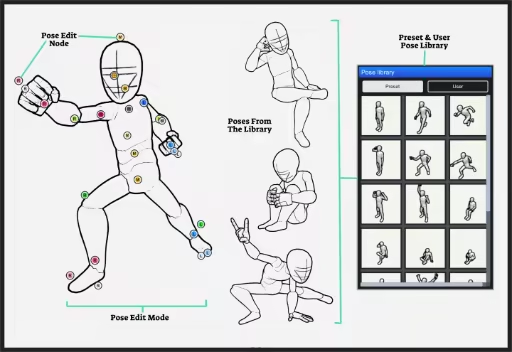
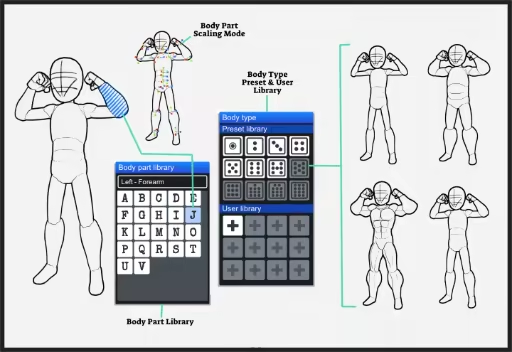
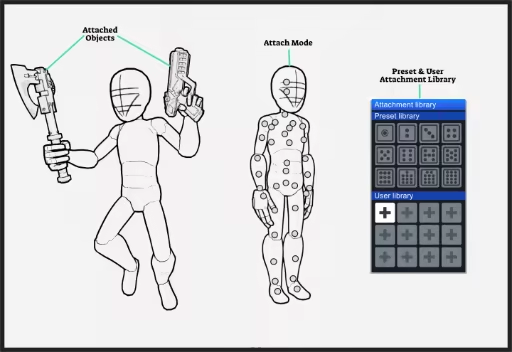
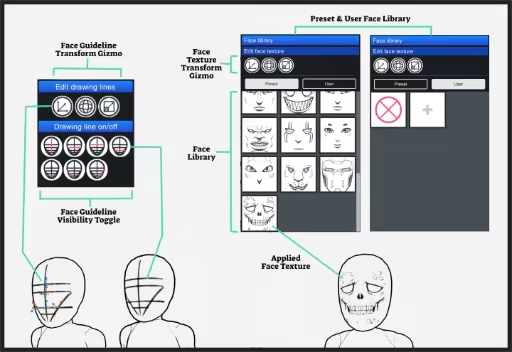
- Easily pose character with drag nodes.
- Change facial guidelines according to your needs.
- Change face texture, or add your own ones.
- Pose and hand gesture library.
- Changeable body shapes.
- Toggle visibility of body parts
- Attach any 3D object onto the body.
- Save / load poser profile
3D Libraries (DLC)
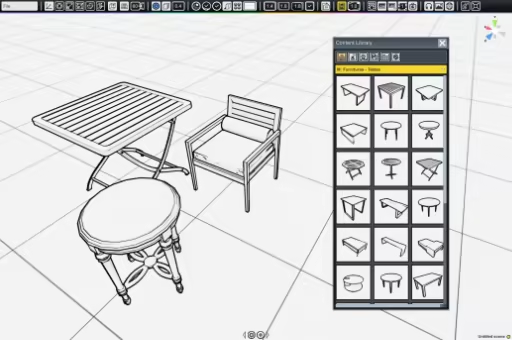
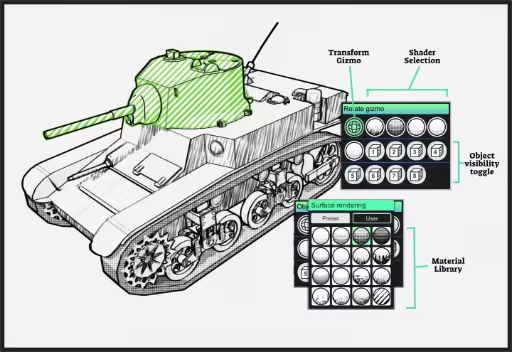
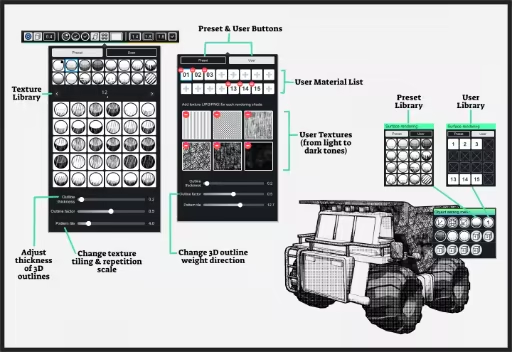
- Libraries of various theme and timeline.
- Customizable objects on materials and parts.
- Modular and non modular objects.
- Selected object with auto-generate function (i.e. books and ornaments on shelves).
Camera Filters
- Various camera filter to help achieve alternative results.
2D Tool Kits (DLC)
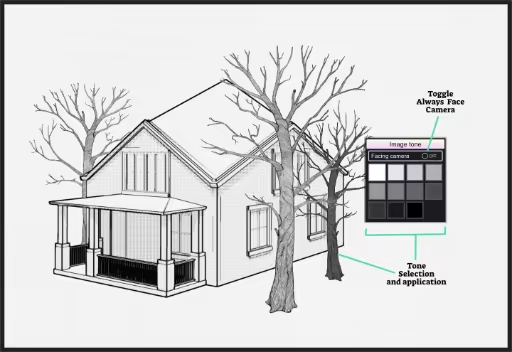
- Libraries of 2D object to help improve visuals.
- Import your own images in 3D space.
- Import your own images in 2D panel as reference.
- Built-in internet browser.
Import Your Own 3D Models (DLC)
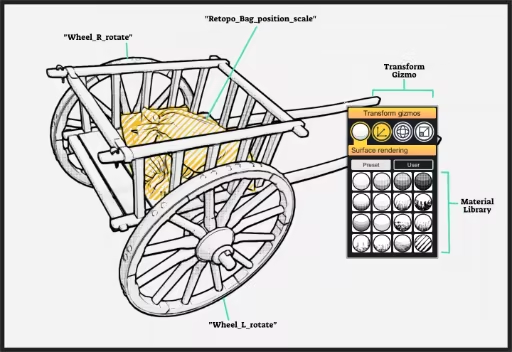
- Import your own 3D models.
- Support animated meshes.
- Supported 3D format : FBX, OBJ, GLTF2, STL, PLY, 3MF
Rendering
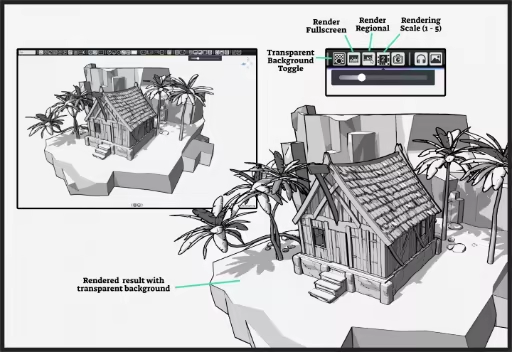
- Render your images as PNG.
- Support transparent background.
- Support render region.
- Renders up to 5 times your screen size.
Other Features
On top of the main features above, MangaKa also provide these tools and functions to make your work easier:- Various transforming tools and duplication methods.
- Snap to grid or object function.
- Toggle between "Local" and "Global" direction for transform tools.
- Adjustable DOF (Depth of View)
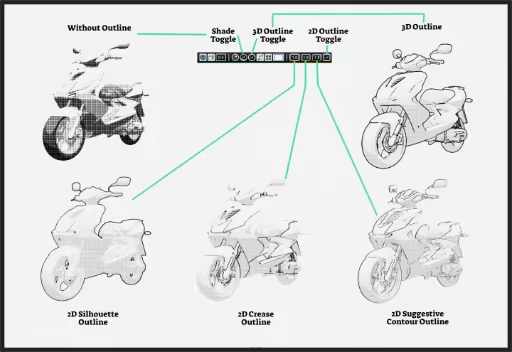
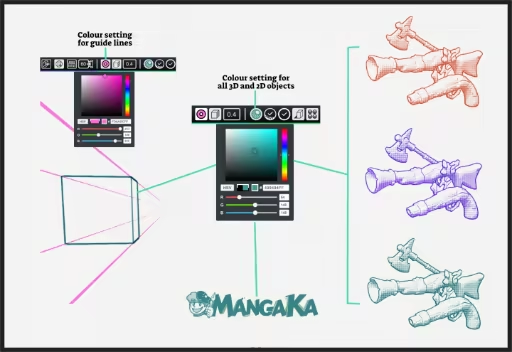
- Adjustable line properties, outline colors, and visibility toggles.
- Various patterns and shade materials.
- Ability to import your own textures.
- Changeable background texture (papers).
- Peaceful background music to help you relax!
- Full-screen mode.
