

...INDIE
Luck be a Landlord
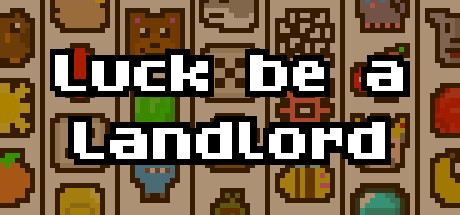
Luck be a Landlord is a roguelike deckbuilder about using a slot machine to earn rent money and defeat capitalism. This game does not contain any real-world currency gambling or microtransactions.
Developer
Publisher
Release
January 6, 2023
3 years and 254 days ago
Steam Reviews
Very Positive11,533 reviews93.2%
Game contextLatest: IGF Team
| ContextThe evidence factors used to assess whether this game belongs on IndieGame.Fan. | Status | Notes Latest Contributor: IGF TeamEdit notes |
|---|---|---|
Updated: Jul 10, 2026Developer scaleThe operating scale of the game's developer. | ||
Updated: Jul 15, 2026Publisher scaleThe operating scale of the game's publisher. | ||
Updated: Jul 15, 2026Publisher statusHow the game's publishing relationship is classified. | ||
Updated: Jul 10, 2026Release statusWhether and how the game has been released. |
Media
6 itemsAbout the Game
Your landlord is knocking on your door. You have one coin left to your name. You insert the coin into your slot machine...and...JACKPOT! Luck be a Landlord, tonight!
Luck be a Landlord now has Screen Reader support! If the Screen Reader setting is enabled (under the Gameplay Settings or by holding the F3 key, 3 key, or L1 on a controller for 5 seconds), the game will output highlighted text to the operating system's clipboard. One can then use a screen reader program to read out the text from the clipboard. Using a Keyboard or Controller instead of a Mouse is ideal when using this mode.
Features
- Roguelite gameplay - The symbols you can add to the slot machine are different every time!
- Lots of Symbols to add to your slot machine - Each symbol has different effects and interactions.
- Plenty of Items to choose from - The items are different every time as well, leading to interesting build strategies.
- A terrible landlord to defeat.
- A dog you can pet.
- Capitalism.
Luck be a Landlord now has Screen Reader support! If the Screen Reader setting is enabled (under the Gameplay Settings or by holding the F3 key, 3 key, or L1 on a controller for 5 seconds), the game will output highlighted text to the operating system's clipboard. One can then use a screen reader program to read out the text from the clipboard. Using a Keyboard or Controller instead of a Mouse is ideal when using this mode.
YouTube Videos
Most viewedNo videos are available for this game yet.
User Comments
Join the conversation in this game’s community chat.
