

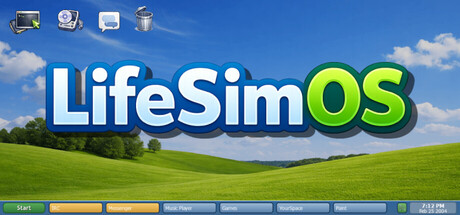
LifeSimOS
A story-rich coming-of-age experience told through a 2004 desktop, where friendships, music, and late-night conversations shape who you become. Explore chats, drama, mini-games, and the early internet in a branching story about growing up, making mistakes, and finding your place.
Does this feel indie?
Vote based on whether this game feels indie to you. You can change your vote at any time. Results earn an IGF score after 10 accepted votes.| ContextThe evidence factors used to assess whether this game belongs on IndieGame.Fan. | Status | Notes Latest Contributor: IGF TeamEdit notes |
|---|---|---|
Media
8 itemsAbout the Game
LifeSimOS is a story-rich coming-of-age experience set in 2004, where your world unfolds through a cluttered desktop filled with Messenger chats, IRC conversations, email, music, and late-night choices. Build friendships, navigate messy relationships, explore strange corners of the early internet, and shape your path through a branching story with multiple endings.

Build your online persona by choosing a handle, a real or made-up first name, and the pirate group you’ll run with on IRC. As the team’s encoder, you’re not just along for the ride, you’re the one helping package and push releases into the digital underground.

Every conversation gives you multiple ways to respond, whether positive, neutral, or negative, and each choice directly shapes how others see you.

Meet Hearty, your lovable desktop companion, here to answer questions and help guide you through the world of LifeSimOS.

Step into a cluttered 2004 desktop packed with Messenger chats, IRC, email, music, weird websites, and late-night choices.

The desktop is loaded with side content, surprises, and interactive apps that make the computer feel like a world of its own.

Get distracted by playable bonus apps and retro-inspired games woven right into the system.

Cards, side activities, and random digital distractions give the desktop that late-night, just-one-more-click feeling.

Discover songs and interact with music as part of the desktop experience, not just a background feature.

Dive into strange apps and story-driven distractions that capture the messy, weird energy of the early internet.
Features
Explore a fully interactive retro desktop inspired by the early 2000s
Shape a branching story through conversations, choices, and relationships
Reach multiple chapters and endings based on how you play
Chat through Messenger, IRC, and email while uncovering drama, secrets, and surprises
Browse weird websites, manage releases, and dig through interactive apps across a cluttered digital world
Play mini-games and side activities woven directly into the story
Unlock music and discover new songs through an in-game player tied to your friends and conversations
Immerse yourself in a nostalgic 2004 atmosphere filled with retro-inspired UI and online culture
LifeSimOS blends interactive fiction, retro internet nostalgia, and desktop roleplay into a deeply personal coming-of-age story where every message, every choice, and every click can shape your future.
Personalize Your Desktop
Personalize your desktop with custom content support built right in. Drop your own files into the included music, wallpaper, and profile_pictures folders, and they’ll show up in-game.
Load your own songs into the music player, set custom wallpapers for your desktop, and use your own profile pictures for logins and chat. It’s a simple way to make LifeSimOS feel even more like your own space.
