

...INDIE
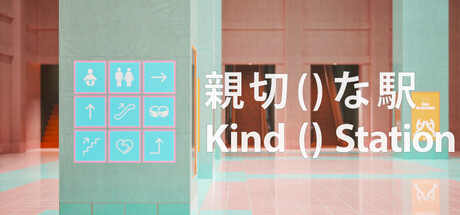
Kind() Station
Lost in the colossal labyrinth of Kind () Station, the protagonist uses scattered wayfinding signs to reach the transfer to the Rinkama Line. Decode the increasingly bizarre signage as you progress, and unravel the mysteries of Kind () Station.
Developer
Publisher
Release
July 25, 2025
1 year and 53 days ago
Steam Reviews
Positive27 reviews88.9%
Game contextLatest: IGF Team
| ContextThe evidence factors used to assess whether this game belongs on IndieGame.Fan. | Status | Notes Latest Contributor: IGF TeamEdit notes |
|---|---|---|
Updated: Jul 14, 2026Developer scaleThe operating scale of the game's developer. | ||
Updated: Jul 14, 2026Publisher scaleThe operating scale of the game's publisher. | ||
Updated: Jul 14, 2026Publisher statusHow the game's publishing relationship is classified. | ||
Updated: Jul 14, 2026Creative controlWho appears to retain creative control of the game. | ||
Updated: Jul 14, 2026Release statusWhether and how the game has been released. |
Media
7 itemsAbout the Game
After being shoved off a station platform by an unknown assailant, the protagonist awakens lost in a vast terminal known as “Kind () Station.” Relying on the myriad guidance signs scattered throughout the complex—and occasionally reflecting on fragments of their own past—they press onward toward a transfer to the Rinkama Line…
“Kind () Station” is a maze game built around the dual nature of station signage design—its “helpfulness” and its “confusing” qualities. This marks the second title from game & prototype studio Studio Hi.
Playtime:
Approximately 60 – 120 minutes
Options:
At any of the digital signage terminals scattered throughout Kind () Station, you can adjust the following settings:
Camera Shake
Camera Controls (Sensitivity, Normal / Reverse)
Field of View
Motion Blur
Volume
Quality (Performance Load)
All settings can be changed immediately after the opening sequence.
If you’re prone to 3D motion sickness, we recommend setting Camera Shake and Motion Blur to 0, and using a wider Field of View.
If you’re experiencing performance slowdowns, try setting Quality to 2. (You can also set it to 0–1, but doing so significantly reduces render lighting quality and may make some sections difficult to play.)
Other:
Press and hold the ESC key twice to exit the game.
Press and hold the 0 key twice for at least 10 seconds to reset your save data.
Streaming & Video Sharing:
Streaming is welcome! For details, please refer to the guidelines on the official Studio Hi website.
YouTube Videos
Most viewedNo videos are available for this game yet.
User Comments
Join the conversation in this game’s community chat.
