

...INDIE

Keep It Live
Keep-it-Live is a small, singleplayer high-score game in which you assume the role of a live stream chat moderator. Your job is to ban any messages that violate the stream’s rules. Will you let the stream get taken down, or are you prepared to Keep it Live?
Developer
Publisher
Release
April 8, 2022
4 years and 162 days ago
Steam Reviews
4 user reviews4 reviews100.0%
Game contextLatest: IGF Team
| ContextThe evidence factors used to assess whether this game belongs on IndieGame.Fan. | Status | Notes Latest Contributor: IGF TeamEdit notes |
|---|---|---|
Media
11 itemsAbout the Game
Overview
Keep it live is a high score game that relies on mechanical skill and quick pattern recognition. You will make your way through increasingly difficult levels and encounter a variety of games, communities, and streamers along the way. There are 10 different streams for you to keep alive!Chat
Each stream has different rules. For example, some streamers may not take kindly to links or self-promotion. Let the innocent messages through and ban any that violate the stream's rules. Failing to do so will result in a strike. Three strikes and you're out.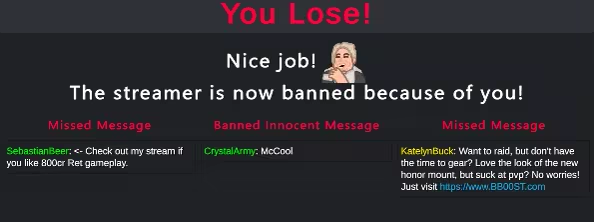
Donations
While your focus is on the chat, you'll also have to look out for any donations that break the rules. All donations are read aloud with TTS. If the TTS finishes reading out a ban-worthy dono, you'll get a strike.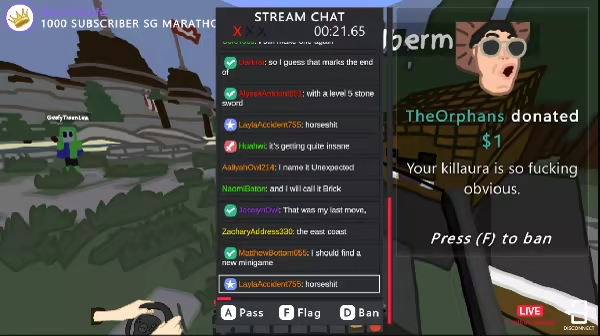
Leaderboards and Star Ratings
The faster you complete a level, the higher your star rating will be. To get a perfect 5-star run, you cannot have any strikes. In addition to the star rating system, your scores will also be entered on a global leaderboard, with the fastest times on top.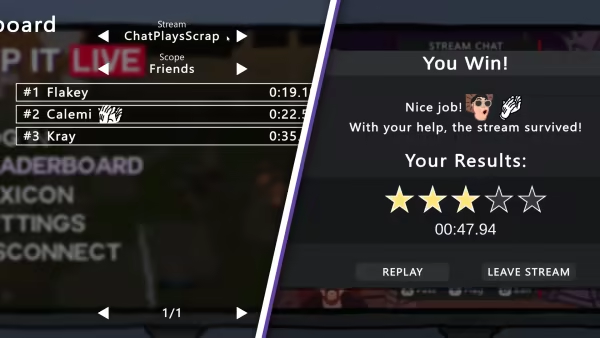
Workshop Support
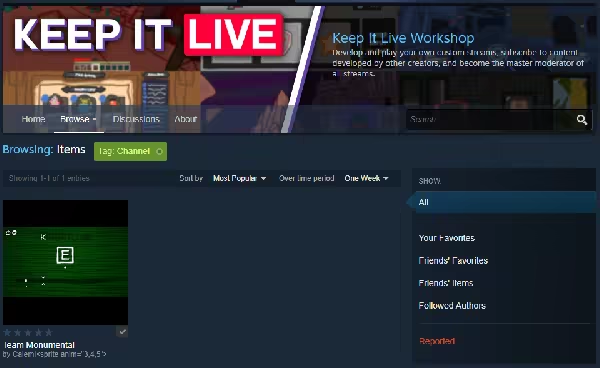
Anyone can create their own custom streams and upload them to the Steam workshop for others to play. Come up with your own chat messages, donations, art, music, and simply add the files into the streaming assets folder. For more information about mod support, check out the readme file or visit the workshop page in the community hub.
YouTube Videos
Most viewedNo videos are available for this game yet.
User Comments
Join the conversation in this game’s community chat.
