

...INDIE
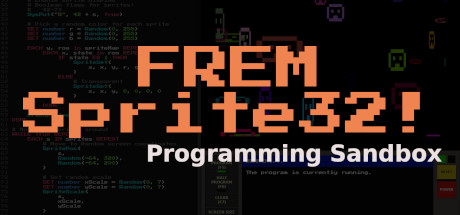
FREM Sprite32!
Play, learn, and experiment with programming in the Sprite32! 8-bit microcomputer sandbox. Use the high-level FREMScript programming language to write programs, create dynamic pixel art, and explore audio generation. Play tutorials and challenges to learn all the aspects of the system.
Developer
Publisher
Release
October 17, 2022
3 years and 335 days ago
Steam Reviews
7 user reviews7 reviews100.0%
Game contextLatest: IGF Team
| ContextThe evidence factors used to assess whether this game belongs on IndieGame.Fan. | Status | Notes Latest Contributor: IGF TeamEdit notes |
|---|---|---|
Updated: Jul 14, 2026Developer scaleThe operating scale of the game's developer. | ||
Updated: Jul 14, 2026Publisher scaleThe operating scale of the game's publisher. | ||
Updated: Jul 14, 2026Publisher statusHow the game's publishing relationship is classified. | ||
Updated: Jul 14, 2026Creative controlWho appears to retain creative control of the game. | ||
Updated: Jul 14, 2026Release statusWhether and how the game has been released. |
Media
16 itemsAbout the Game
Say hello to the Sprite32!, the premier microcomputer from First Rate Embedded Microsystems (FREM), designed for the 1985 home computer market.
Play, learn, and experiment with programming in the Sprite32! 8-bit microcomputer sandbox. Use the high-level FREMScript programming language to write programs, create dynamic pixel art, and explore audio generation. Play tutorials and challenges to learn all the aspects of the system. Take a trip back in time to the early days of home computing with the Sprite32!’s 320x200 pixel display, 40 columns of text, 8-bit memory limitations, and 80s-era CPU speeds.
Play, learn, and experiment with programming in the Sprite32! 8-bit microcomputer sandbox. Use the high-level FREMScript programming language to write programs, create dynamic pixel art, and explore audio generation. Play tutorials and challenges to learn all the aspects of the system. Take a trip back in time to the early days of home computing with the Sprite32!’s 320x200 pixel display, 40 columns of text, 8-bit memory limitations, and 80s-era CPU speeds.
Features
- Write programs using the high-level FREMScript interpreted programming language.
- Play tutorials to learn about the interface, operating system, and language syntax.
- Read the in-game manual to learn the language, discover system settings, and copy code examples to run in the editor.
- Display text and capture keyboard input as the program runs.
- Get feedback in the status window for current system state, including program errors and highlighting.
- Play with sprites, pixels, the color grid, and 3-channel waveform audio generation.
- Save and load files, even swap out the default boot program with your own!
- Challenges: Go deeper into FREMScript with specific coding challenges.
- Discover programs and documents left behind on the drive by previous users of the system.
- Synthesizer soundtrack featuring original tracks and music by Interface Type Seven
YouTube Videos
Most viewedNo videos are available for this game yet.
User Comments
Join the conversation in this game’s community chat.
