

...INDIE
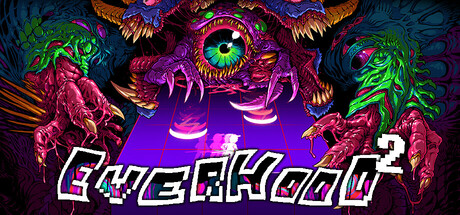
Everhood 2
AN UNCONVENTIONAL ARPG where you battle enemies through musical encounters while being accompanied by a raven who promises to retrieve your voice if you slay the mighty Mind Dragon!🎵
Developer
Publisher
Release
March 4, 2025
1 year and 239 days ago
Steam Reviews
Mostly Positive2,410 reviews74.1%
Game contextLatest: IGF Team
| ContextThe evidence factors used to assess whether this game belongs on IndieGame.Fan. | Status | Notes Latest Contributor: IGF TeamEdit notes |
|---|---|---|
Updated: Jul 13, 2026Developer scaleThe operating scale of the game's developer. | ||
Updated: Jul 13, 2026Publisher scaleThe operating scale of the game's publisher. | The game was released through a separate independently controlled small publisher. | |
Updated: Jul 13, 2026Creative controlWho appears to retain creative control of the game. | ||
Updated: Jul 13, 2026Release statusWhether and how the game has been released. | The game is released through a separate publisher. |
Media
10 itemsAbout the Game
Enter the world of Everhood
Discover the color of your soul and what lies beyond the river of death in a strange land. Accompany a mysterious celestial Raven who has deemed you worthy of slaying the Mind Dragon.
Features
Master the music-based battles with over 100 songs!
Voyage through a transcendental journey across 10-12 hours
Enter a wild universe with mind-bending visuals
Conquer the unconquerable
Custom World & Battle Editor Support
Make funny friends!
WARNING: The game contains imagery that may be harmful to players with photosensitive epilepsy, those can be disabled in the Accessibility Menu included in the game.
YouTube Videos
Most viewedNo videos are available for this game yet.
User Comments
Join the conversation in this game’s community chat.
