

...INDIE
Edge3
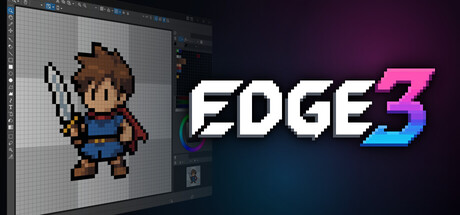
Edge3 is a pixel art editor featuring powerful palette management and animation tools.
Developer
Publisher
Release
May 31, 2026
109 days ago
Steam Reviews
Positive22 reviews100.0%
Game contextLatest: IGF Team
| ContextThe evidence factors used to assess whether this game belongs on IndieGame.Fan. | Status | Notes Latest Contributor: IGF TeamEdit notes |
|---|---|---|
Updated: Jul 10, 2026Developer scaleThe operating scale of the game's developer. | ||
Updated: Jul 10, 2026Publisher scaleThe operating scale of the game's publisher. | ||
Updated: Jul 10, 2026Publisher statusHow the game's publishing relationship is classified. | ||
Updated: Jul 10, 2026Release statusWhether and how the game has been released. |
Media
6 itemsAbout the Game
Edge3 is a pixel art editor featuring powerful palette management and animation tools.
It supports both part-based animation and traditional frame-by-frame animation, allowing you to create game-ready sprites and pixel art with flexibility.
Animation
Create part-based animations by assembling individual sprite parts
Create traditional frame-by-frame animations
Switch between part-based and frame-based workflows depending on your needs
Use onion skinning to reference previous and next frames while editing
Organize and switch between multiple motions (e.g. walk, attack)
Drawing & Editing
Pen, eraser, text, Bézier, and various drawing and selection tools
Right-click to quickly pick colors (eyedropper)
Right-drag to stamp and duplicate instantly
Use Ctrl+click to fill and Shift+click to draw straight lines with the pen tool, reducing the need to switch tools while drawing
Real-time transform of selections (move, scale, rotate)
Color & Palette
Supports indexed color (with alpha) and RGBA color modes
Manage and switch between multiple palettes
Change colors per frame for advanced effects
Efficient Workflow
View the same file in multiple views simultaneously
Work with both zoomed-in and full views side by side
Flip and rotate the view to check visual balance
Detach views into separate windows for multi-monitor setups
Flexible Customization
Customize toolbars and keyboard shortcuts
Remap right-click and mouse wheel actions
Switch between tabbed and MDI layouts
Dock or float panels freely
Extensions (Optional)
An optional extension is available separately to enable thumbnail previews of Edge3 files in Windows Explorer
Note: Edge3 is based on Edge2, but its workflows and feature set have been redesigned.
Some specifications and behaviors differ from Edge2.
YouTube Videos
Most viewedNo videos are available for this game yet.
User Comments
Join the conversation in this game’s community chat.
