

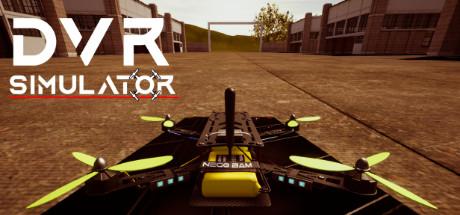
DVR Simulator
DVR Simulator is a Drone Racing FPV Simulator. Learn how to fly or start training right now with racing or freestyle modes. Do you have a VR headset? Use it to simulate FPV Goggles!
Developer
Publisher
Release
December 1, 2023
2 years and 244 days ago
Steam Reviews
Mixed15 reviews40.0%
Does this feel indie?
Vote based on whether this game feels indie to you. You can change your vote at any time. Results earn an IGF score after 10 accepted votes.No votes yet
Game contextLatest: IGF Team
| ContextThe evidence factors used to assess whether this game belongs on IndieGame.Fan. | Status | Notes Latest Contributor: IGF TeamEdit notes |
|---|---|---|
Updated: Jul 13, 2026Developer scaleThe operating scale of the game's developer. | ||
Updated: Jul 13, 2026Publisher scaleThe operating scale of the game's publisher. | ||
Updated: Jul 13, 2026Publisher statusHow the game's publishing relationship is classified. | ||
Updated: Jul 13, 2026Creative controlWho appears to retain creative control of the game. | ||
Updated: Jul 13, 2026Release statusWhether and how the game has been released. |
Media
11 itemsAbout the Game
DVR Simulator is a Drone Racing FPV Simulator. Are you already an FPV pilot? Start your training now with the Freestyle and Racing modes.
This is the default behavior when VR is enabled, it's like watching a big movie screen, there is no motion sickness.
Of course, you can enable the stereo mode and experiment with a new level of FPV immersion. This mode is not comfortable and is subject to motion sickness.
Calibrations are stored in a file that can be shared with friends that have the same radio transmitter.
Features
- Freestyle Mode
- Racing Mode
- Physics Editor
- Virtual Reality
Physics Editor
The in-game physics editor allows you to change a lot of parameters such as drag, gravity, motor power, etc.- Drag, Angular Drag, Interpolation times, Gravity
- Rates and Throttle mid/expo
- 3D settings
- More
Virtual Reality
Do you have a VR headset? Use it to simulate FPV goggles! Real FPV goggles use the same image for both eyes resulting in no motion sickness.This is the default behavior when VR is enabled, it's like watching a big movie screen, there is no motion sickness.
Of course, you can enable the stereo mode and experiment with a new level of FPV immersion. This mode is not comfortable and is subject to motion sickness.
Inputs
The simulator works with both gamepads and real radio transmitters. A calibration process helps you to configure your radio transmitter.Calibrations are stored in a file that can be shared with friends that have the same radio transmitter.
