

...INDIE
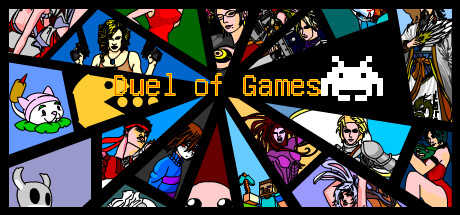
Duel of games
In the real world, the Game of the Year is about who is more fun to play,while in the gaming world,the Game of the Year is about who can fight better.In order to compete for the title of Game of the Year,games transform into fighters and engage in combat.Duel of classic game protagonists,pvp/pve/eve
Developer
Publisher
Release
March 28, 2024
2 years and 216 days ago
Steam Reviews
Very Positive84 reviews97.6%
Game contextLatest: IGF Team
| ContextThe evidence factors used to assess whether this game belongs on IndieGame.Fan. | Status | Notes Latest Contributor: IGF TeamEdit notes |
|---|---|---|
Updated: Jul 14, 2026Developer scaleThe operating scale of the game's developer. | ||
Updated: Jul 14, 2026Publisher scaleThe operating scale of the game's publisher. | ||
Updated: Jul 14, 2026Publisher statusHow the game's publishing relationship is classified. | ||
Updated: Jul 14, 2026Creative controlWho appears to retain creative control of the game. | ||
Updated: Jul 14, 2026Release statusWhether and how the game has been released. |
Media
8 itemsAbout the Game
problem Fixing
If your Windows system cannot run the game properly, you can run wushowhide-1.diagcab included in the zip file to fix it.
Selection Interface
Click the button to dress up your mascot with a variety of available outfits.
Touch your mascot to interact! There are many different reactions to discover.

Click the button to select the mode, There are story mode, vs mode, counter mode available.
Click on the arrow to switch between fighters, allowing you to view the fighter’s appearance, name, and skill settings. Each fighter has two exclusive skills and one universal skill for blocking. There are a total of 124 fighters available to use.
(PLAYER1 can switch fighters by pressing the AD keys, while PLAYER2 can switch fighters by pressing the left and right keys.)
Click on the arrow to switch between with and without props. There are a total of 125 props available to use.
(PLAYER1 can switch between with and without items by pressing the J key, while PLAYER2 can switch between with and without items by pressing NumPad 1.)
Click on the arrow to switch between PLAYER and COMPUTER, allowing you to play against a computer or watch a computer play against another computer(Cyber Beast-fighting).
(PLAYER1 can switch between a real person and a computer by pressing the WS keys, while PLAYER2 can switch between a real person and a computer by pressing the up and down keys.)
Click on the arrow to switch between BO(best of x), from BO1 to BO21.
(PLAYER1 can switch between BO by pressing the KL keys, while PLAYER2 can switch between BO by pressing NumPad 2 and NumPad 3.)
Click on the arrow to switch between full tutorial, only item tutorial, and no tutorial.
Control Instructions
PLAYER1
Move:WASD
Skill:JK
Def:L
Item:;(Semicolon)
PLAYER2
Move:↑↓←→(Directional keys)
Skill:NumPad 12
Def:NumPad 3
Item:NumPad Enter
Some skills have a CD (Cooldown) time.
Many skills can be cast while moving with the directional keys to adjust the position of the spell cast.
Flexible positioning, masterful use of skills, and skillful blocking are key to overcoming enemies.
YouTube Videos
Most viewedNo videos are available for this game yet.
User Comments
Join the conversation in this game’s community chat.
