

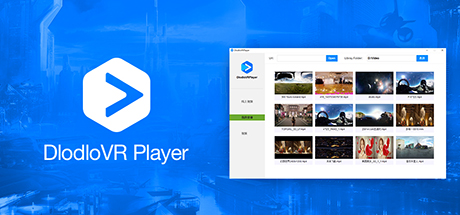
DlodloVRPlayer
DlodloVR Player provides you a way to enjoy a journey traveling around the world. Support to play 4K HD video, all major video formats, and major VR hardware. Create a dedicated VR world for you, with customized experience mode. Bring you into a new horizon.
Developer
Publisher
Release
November 19, 2017
8 years and 257 days ago
Steam Reviews
1 user reviews1 reviews0.0%
Does this feel indie?
Vote based on whether this game feels indie to you. You can change your vote at any time. Results earn an IGF score after 10 accepted votes.No votes yet
Game contextLatest: IGF Team
| ContextThe evidence factors used to assess whether this game belongs on IndieGame.Fan. | Status | Notes Latest Contributor: IGF TeamEdit notes |
|---|---|---|
Media
5 itemsAbout the Game
DlodloVR Player Video Player
DlodloVR Player provides you a way to enjoy a journey traveling around the world. Support to play 4K HD video, all major video formats, and major VR hardware. Create a dedicated VR world for you, with customized experience mode. Bring you into a new horizon.Every frame is wonderful
3D, 360 video provides a strong sense of immersion, allowing users to enjoy the immersive movie viewing experience. Once you choose a video, you can take standard playback control comfortably. In addition, you can adjust the size of the screen (CTRL + A, CTRL + S), arc-screen degree(CTRL + D, CTRL + F), the screen up and down position (CTRL + G, CTRL + H), restore default settings (CTRL + R), and set the zero pose for the seated tracker coordinate system to the current position and yaw of the HMD(Z). According to customer preferences to adjust the most comfortable Viewing angle. 360 panorama video using the panorama playback mode, so that every frame in front of you to show the most extreme sensory experience.Key Features
Support HTC Vive and OpenVR head use.Support keyboad and mouse.
Support 2D, 3D, 360°. Over up and down, left and right videos.
Support local video list display.
Support one button to play with URL address .
Play screen size adjustment.
