

...INDIE
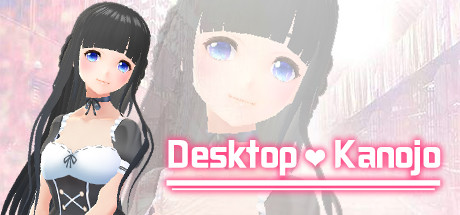
Desktop Kanojo
This is a desktop mascot that can be placed anywhere on your desktop to bring more fun to your desktop
Developer
Publisher
Release
April 23, 2020
6 years and 190 days ago
Steam Reviews
Very Positive1,634 reviews85.7%
Game contextLatest: IGF Team
| ContextThe evidence factors used to assess whether this game belongs on IndieGame.Fan. | Status | Notes Latest Contributor: IGF TeamEdit notes |
|---|---|---|
Updated: Jul 13, 2026Developer scaleThe operating scale of the game's developer. | ||
Updated: Jul 15, 2026Publisher scaleThe operating scale of the game's publisher. | ||
Updated: Jul 15, 2026Publisher statusHow the game's publishing relationship is classified. | ||
Updated: Jul 13, 2026Release statusWhether and how the game has been released. |
Media
8 itemsAbout the Game
Introduction
This is a desktop mascot, which can be placed anywhere on your desktop to bring more fun to your desktop.
The character has multiple costume transformations and can use mouse click to interact with the character more.
Some parts of the character have physical effects and can simulate shaking when moving.
Characters can move, rotate and scale freely.
Players can also import local custom models to create new desktop partners of their own.
The game supports creative workshops. You can upload and share your favorite models, or subscribe and download others' models to generate your favorite desktop characters.
features
- cute desktop mascot
- Click interaction + independent interaction
- move, rotate and scale freely
- contains more than 40 actions and 30 Chinese Japanese bilingual language packs
- changing clothes
- has physical jitter effect
- alarm function
- import local model (VRM format model file required)
- Creative Workshop supports model, action and voice upload, so that you have more choices. Action and voice can be associated and bound!
- multi display support
The black screen solution is as follows:
1. Please open the dvidia panel and select [manage 3D settings] on the left
2. In the right, the options of [multi frame sampling AA (MFAA)] and [smoothing fxaa] are changed to [off]
3. When the application is closed and the game is restarted, the black screen of the game can be solved.
Tips:
1. Double click the model to quickly stop the current action
YouTube Videos
Most viewedNo videos are available for this game yet.
User Comments
Join the conversation in this game’s community chat.
