

...INDIE
Deck Remover
There are many different decks. And your goal is to draw all the cards in that deck. It's a game of 70% luck, 5% skill, and 25% doubt. A card will tell you what the 25% doubt is.
Developer
Publisher
Release
April 30, 2024
2 years and 139 days ago
Steam Reviews
Awaiting reviews
Game contextLatest: IGF Team
| ContextThe evidence factors used to assess whether this game belongs on IndieGame.Fan. | Status | Notes Latest Contributor: IGF TeamEdit notes |
|---|---|---|
Updated: Jul 14, 2026Developer scaleThe operating scale of the game's developer. | ||
Updated: Jul 14, 2026Publisher scaleThe operating scale of the game's publisher. | ||
Updated: Jul 14, 2026Publisher statusHow the game's publishing relationship is classified. | ||
Updated: Jul 14, 2026Creative controlWho appears to retain creative control of the game. | ||
Updated: Jul 14, 2026Release statusWhether and how the game has been released. |
Media
7 itemsAbout the Game
It's a game where you draw all the cards in the deck.
1.The deck selection screen.
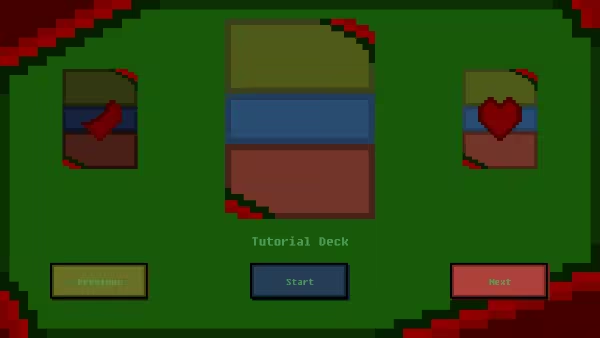
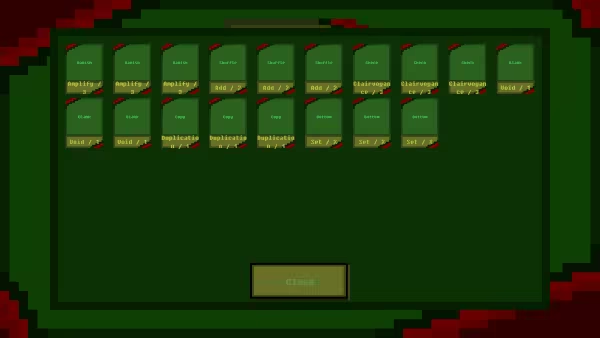
And when you click on a deck, you'll see the deck information as shown below.
2.The play screen.
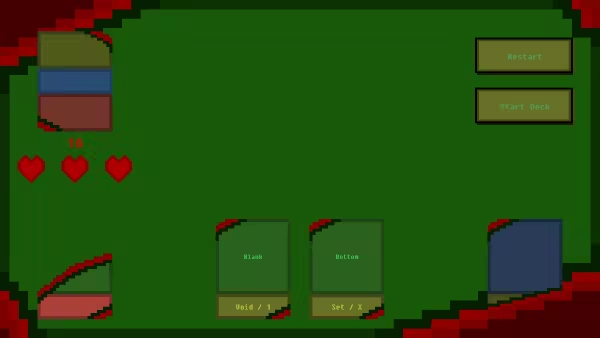
When the hearts in the center left disappear, it's game over.
And the number above it is the number of cards currently left in the deck.
Additionally, if you right-click on a card anywhere, a detailed description will appear, as shown below.
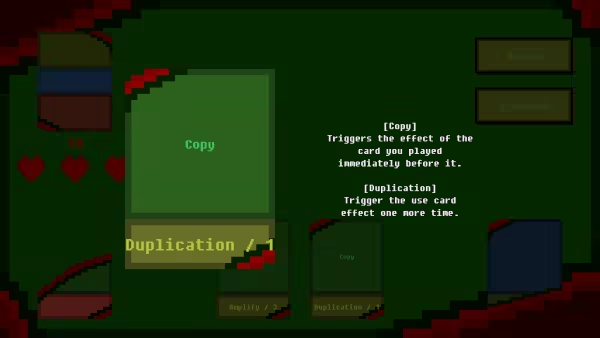
3.Use a card
Drag a card and drop it in the blue area on the right to use it.
After playing a card, draw a card so that you have a 2-card hand.
4.Using with Sets
Drag a card and drop it into the red area on the left to set it.
Sets don't draw cards, and set cards are destroyed when the number displayed above them reaches zero.
5.Clear
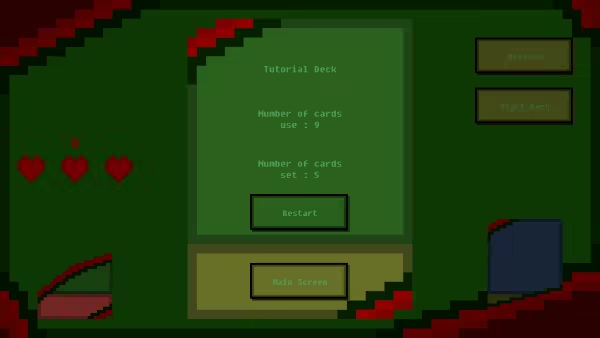
Once you've drawn the entire deck, you'll see the next screen, and you're clear!
There are 10+ decks, with 30+ cards.
1.The deck selection screen.
And when you click on a deck, you'll see the deck information as shown below.
2.The play screen.
When the hearts in the center left disappear, it's game over.
And the number above it is the number of cards currently left in the deck.
Additionally, if you right-click on a card anywhere, a detailed description will appear, as shown below.
3.Use a card
Drag a card and drop it in the blue area on the right to use it.
After playing a card, draw a card so that you have a 2-card hand.
4.Using with Sets
Drag a card and drop it into the red area on the left to set it.
Sets don't draw cards, and set cards are destroyed when the number displayed above them reaches zero.
5.Clear
Once you've drawn the entire deck, you'll see the next screen, and you're clear!
There are 10+ decks, with 30+ cards.
YouTube Videos
Most viewedNo videos are available for this game yet.
User Comments
Join the conversation in this game’s community chat.
