

...INDIE
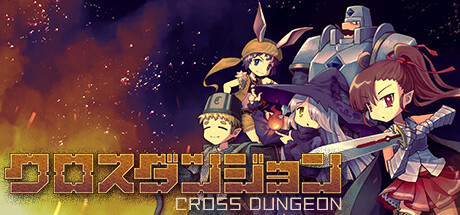
CROSS DUNGEON
Connect the tiles and conquer the dungeon. Monsters and treasure await! Defeat monsters and move on. Power up when you get the treasure. Let's proceed while collecting treasures.
Developer
Publisher
Release
January 11, 2024
2 years and 292 days ago
Steam Reviews
Mostly Positive13 reviews76.9%
Game contextLatest: IGF Team
| ContextThe evidence factors used to assess whether this game belongs on IndieGame.Fan. | Status | Notes Latest Contributor: IGF TeamEdit notes |
|---|---|---|
Updated: Jul 14, 2026Developer scaleThe operating scale of the game's developer. | ||
Updated: Jul 14, 2026Publisher scaleThe operating scale of the game's publisher. | ||
Updated: Jul 14, 2026Publisher statusHow the game's publishing relationship is classified. | ||
Updated: Jul 14, 2026Creative controlWho appears to retain creative control of the game. | ||
Updated: Jul 14, 2026Release statusWhether and how the game has been released. |
Media
6 itemsAbout the Game
Connect the tiles and conquer the dungeon.
Monsters and treasure await!
Defeat monsters and move on.
Power up when you get the treasure.
Let's proceed while collecting treasures.
―――――
■Keyboard control
・Menu, title
Movement: wasd, arrow keys, mouse drag
Submit: j, Enter, left mouse click
Cancel: Escape, Backspace, k
・In Game
Movement: wasd, arrow keys, mouse drag
Put tile: j, Enter, left mouse click
Rotation: k, Space
Skip: l, rightShift
Menu: i, rightCtrl
Skill: o, leftCtrl
Camera movement: right mouse drag
Camera movement mode switching: u, rightAlt
Zoom: pageUp pageDown, mouse wheel
Monsters and treasure await!
Defeat monsters and move on.
Power up when you get the treasure.
Let's proceed while collecting treasures.
―――――
■Keyboard control
・Menu, title
Movement: wasd, arrow keys, mouse drag
Submit: j, Enter, left mouse click
Cancel: Escape, Backspace, k
・In Game
Movement: wasd, arrow keys, mouse drag
Put tile: j, Enter, left mouse click
Rotation: k, Space
Skip: l, rightShift
Menu: i, rightCtrl
Skill: o, leftCtrl
Camera movement: right mouse drag
Camera movement mode switching: u, rightAlt
Zoom: pageUp pageDown, mouse wheel
YouTube Videos
Most viewedNo videos are available for this game yet.
User Comments
Join the conversation in this game’s community chat.
