

...INDIE
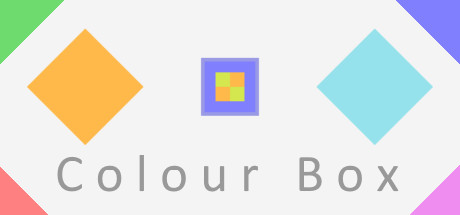
Colour Box
Colour Box is a puzzle game about colouring boxes. Made by Daniel Michaneck with music by Jonathan Krieger Rozenberg.
Developer
Publisher
Release
March 9, 2018
8 years and 236 days ago
Steam Reviews
Positive36 reviews97.2%
Game contextLatest: IGF Team
| ContextThe evidence factors used to assess whether this game belongs on IndieGame.Fan. | Status | Notes Latest Contributor: IGF TeamEdit notes |
|---|---|---|
Updated: Jul 14, 2026Developer scaleThe operating scale of the game's developer. | ||
Updated: Jul 14, 2026Publisher scaleThe operating scale of the game's publisher. | ||
Updated: Jul 14, 2026Publisher statusHow the game's publishing relationship is classified. | ||
Updated: Jul 14, 2026Creative controlWho appears to retain creative control of the game. | ||
Updated: Jul 14, 2026Release statusWhether and how the game has been released. |
Media
8 itemsAbout the Game
Colour Box is a puzzle game about colouring boxes. There are 27 levels of varying difficulty that may prove to be both challenging and fun! You play the game by dragging boxes around. Dragging one over a coloured field will colour the part of the box touching that field. You must drag a matching box to the goal to complete a level. The main challenge of the game is figuring out in which order you should colour the box (or boxes). To beat the game you have to think logically and use all the tools the game provides you with. We hope you have as much fun playing Colour Box as we had making it!
The game is made by Daniel Michaneck and features music by Jonathan Krieger Rozenberg. A big thank you to the people that playtested the game and the helpful members of the GameMaker community.
The game is made by Daniel Michaneck and features music by Jonathan Krieger Rozenberg. A big thank you to the people that playtested the game and the helpful members of the GameMaker community.
Tips
- If you are having trouble dragging the box you can turn on Drag Assist in the main menu to make it easier for you.
- You can open the menu by pressing the Escape button or by right-clicking on an area away from a box or a goal.
- You can skip to the next level by pressing the right arrow key or go back to the previous level by pressing the left arrow key.
- You can go back a step in the menu or continue the game session by pressing the right mouse button while in the menu.
- You can also go back a step or continue the session by left-clicking outside of the menu screen while the game is paused.
YouTube Videos
Most viewedNo videos are available for this game yet.
User Comments
Join the conversation in this game’s community chat.
