

Chess Graphy
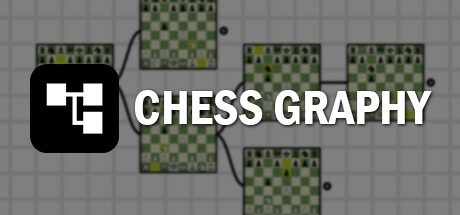
Aren't you tired of looking at only one board, while reviewing your opening lines? Chess Graphy will graph out your openings and allow you to easily glider over the endless possibilities of a chess game.
Developer
Publisher
Release
May 9, 2023
3 years and 85 days ago
Steam Reviews
2 user reviews2 reviews100.0%
Does this feel indie?
Vote based on whether this game feels indie to you. You can change your vote at any time. Results earn an IGF score after 10 accepted votes.No votes yet
Game contextLatest: IGF Team
| ContextThe evidence factors used to assess whether this game belongs on IndieGame.Fan. | Status | Notes Latest Contributor: IGF TeamEdit notes |
|---|---|---|
Media
11 itemsAbout the Game
What is Chess Graphy?
Learning chess openings can give you a hard time if you don't have to right tools for it. Chess Graphy was made to help you look through the lines of different openings and see visually every move on a board. You don't have to navigate through a long and complex text of moves anymore. Just open up Chess Graphy, load your favorite opening and we will do the rest for you.
How does Chess Graphy work?
For smooth user experience Chess Graphy provides a clear and simple interface. After opening the program, you will be given an empty board. By entering Edit Mode and selecting the main board, further moves and positions can be added to the graph. The boards can be flipped and named before or after you've created them. Upon finishing your work you can save the current state of your graph into a (.cgraph) file. If you want to load and revise your openings, you can hit the load button and select the file you want to learn.
Why is it beneficial for you?
Chess Graphy is the one of the most user-friendly program on the market. Instead of learning your openings from a PGN file, which is hard to navigate, you can easily load your openings into Chess Graphy and see all the moves in a flow chart. By being able to see every position, it is much easier to learn the moves from photographic memory. Playing everything out on one chessboard is simply not best way anymore.
How to work with the program?
Moving around the grid is by using the right click on the mouse and dragging your cursor around. This is because left clicking on the boards is used to open them. After entering Edit Mode left clicking on them will load the position into the Editor, where you can perform the moves. There are no limits in the Editor, you can move or take any piece anywhere you want. Clicking on a loaded board will open/close its subpositions, so it's also possible to navigate through the graph in the Editor. Now that you know, how to use Chess Graphy all you have to do is start creating your own learning material.
What extra does the Pro version have?
With the Free version of Chess Graphy, you can only make temporary graphs or load others files. There is no option for saving, you can only use those files, that others have created. That's where the Pro version comes in. Using the Pro version, you can save your work after you are done creating the graph. This feature is necessary for long-term usage of the software and it allows you to create your own learning material. Using the Pro version you can import and graph out PGN files, which really speeds up your work.
Learning chess openings can give you a hard time if you don't have to right tools for it. Chess Graphy was made to help you look through the lines of different openings and see visually every move on a board. You don't have to navigate through a long and complex text of moves anymore. Just open up Chess Graphy, load your favorite opening and we will do the rest for you.
How does Chess Graphy work?
For smooth user experience Chess Graphy provides a clear and simple interface. After opening the program, you will be given an empty board. By entering Edit Mode and selecting the main board, further moves and positions can be added to the graph. The boards can be flipped and named before or after you've created them. Upon finishing your work you can save the current state of your graph into a (.cgraph) file. If you want to load and revise your openings, you can hit the load button and select the file you want to learn.
Why is it beneficial for you?
Chess Graphy is the one of the most user-friendly program on the market. Instead of learning your openings from a PGN file, which is hard to navigate, you can easily load your openings into Chess Graphy and see all the moves in a flow chart. By being able to see every position, it is much easier to learn the moves from photographic memory. Playing everything out on one chessboard is simply not best way anymore.
How to work with the program?
Moving around the grid is by using the right click on the mouse and dragging your cursor around. This is because left clicking on the boards is used to open them. After entering Edit Mode left clicking on them will load the position into the Editor, where you can perform the moves. There are no limits in the Editor, you can move or take any piece anywhere you want. Clicking on a loaded board will open/close its subpositions, so it's also possible to navigate through the graph in the Editor. Now that you know, how to use Chess Graphy all you have to do is start creating your own learning material.
What extra does the Pro version have?
With the Free version of Chess Graphy, you can only make temporary graphs or load others files. There is no option for saving, you can only use those files, that others have created. That's where the Pro version comes in. Using the Pro version, you can save your work after you are done creating the graph. This feature is necessary for long-term usage of the software and it allows you to create your own learning material. Using the Pro version you can import and graph out PGN files, which really speeds up your work.
