

...INDIE
Casual Desktop Game
Casual Desktop Game is a fanmade revival of the old Desktop Destroyer game featuring community content. Relieve stress by smashing your desktop or unleashing battles between various entities. Create mods for the workshop and share them with the community.
Developer
Publisher
Release
February 14, 2020
6 years and 259 days ago
Steam Reviews
Very Positive197 reviews87.3%
Game contextLatest: IGF Team
| ContextThe evidence factors used to assess whether this game belongs on IndieGame.Fan. | Status | Notes Latest Contributor: IGF TeamEdit notes |
|---|---|---|
Updated: Jul 11, 2026Developer scaleThe operating scale of the game's developer. | ||
Updated: Jul 11, 2026Publisher scaleThe operating scale of the game's publisher. | ||
Updated: Jul 11, 2026Publisher statusHow the game's publishing relationship is classified. | ||
Updated: Jul 11, 2026Release statusWhether and how the game has been released. |
Media
8 itemsAbout the Game
The Next Level Desktop Destroyer Revival
Are you annoyed by your co-workers?
This meeting you're attenting could have been an e-mail?
Is the neighbor once again complaining about your lawn?
Do you want to relieve stress by going rampage on your desktop?
Are you a fan of the ancient desktop destroyer and want to dwell in memories?
Then this game is the right choice for you! Casual Desktop Game is a fanmade revival of the ancient Desktop Destroyer game where you can "destroy" your screen with various tools. Or you can lend back and watch entities taking combat on your Desktop.
As a developer you might also be interested in creating your own tools or other entities using AngelScript. You can share your creations via the Steam Workshop.

Relieve stress by going rampage on your desktop
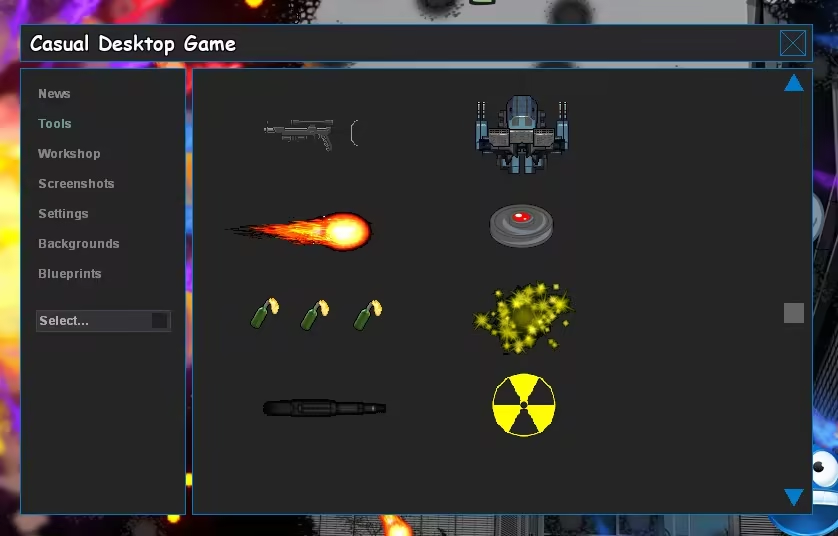
Use various tools like a hammer, chainsaw, machine gun, laser rifle or flame thrower
Spawn military vehicles, soldiers, alien ships or monsters on your desktop
Get content created by our community via the Workshop
Change the background to something else via the backgrounds section
Save and load battles as blueprints for more convenient destruction

Use: Left mouse button to use a selected item
Move: Ctrl + left mouse button to select, left mouse button to move
Clean: Right mouse button to clean the "destruction"
Menu: TAB
Team: Space (switch between teams of combat entities)
Save blueprint: S (quickly stores a blueprint)
Pause: P (pause/resume gameplay)
Screenshot: F10 saves a screenshot to disk
Console: F11 (view scripting output and errors)
Exit: ESC

Blueprints are states of spawned entities, some of their properties and the current background.
This allows players to create entire scenes and load these scenes whenever desired. There is also
a menu section to manage your blueprints. In order to save the current state to a blueprint file,
press the associated key on your keyboard.

Create your own tools and mods via AngelScript
Rich-featured but easy-to-use API for entity creation
Open-source tools and entities to get inspiration from
Submit your creations to the community workshop
YouTube Videos
Most viewedNo videos are available for this game yet.
User Comments
Join the conversation in this game’s community chat.
