

Calcul8²
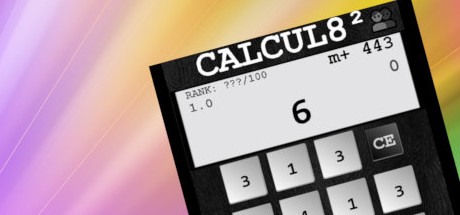
Calcul8² is a quick fire number-crunching puzzle game, based on our old friend the calculator and aptly named Calculate Squared.Successor to the popular original, Calcul8. Playable via Mouse, Touch Screen or Keys.
Developer
Publisher
Unknown
Release
December 17, 2018
7 years and 230 days ago
Steam Reviews
Mixed17 reviews64.7%
Does this feel indie?
Vote based on whether this game feels indie to you. You can change your vote at any time. Results earn an IGF score after 10 accepted votes.No votes yet
Game contextLatest: IGF Team
| ContextThe evidence factors used to assess whether this game belongs on IndieGame.Fan. | Status | Notes Latest Contributor: IGF TeamEdit notes |
|---|---|---|
Media
14 itemsAbout the Game
Calcul8² is a quick fire number-crunching puzzle game, based on our old friend the calculator and aptly named Calculate Squared.
Successor to the popular original, Calcul8. It's the perfect quick pick-up puzzler.
Super easy to pick up, hard to put down.
The aim is simple, reach 0 by tapping buttons to deduct from the goal number shown on the display.
Playable via mouse, touch screen, or keys.
Keys: arrow keys / wasd to select buttons. Space or Enter to tap the buttons.Do you have what it takes to master the Calcul8tor?
How to play:
- Play by mouse, touch screen, or keys.
- Reach 0 by tapping numbers to subtract from your goal number.
- Press the 'C' button to clear your selected buttons, or 'CE' to choose a new goal.
- Save / Load using the Disk / Folder icon in the bottom left.
