

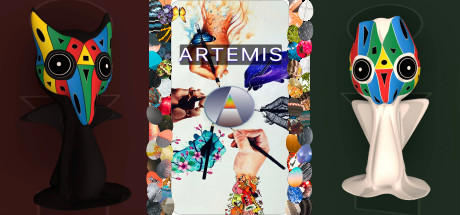
Artemis
Artemis has a companion boardgame which can be played at platemate.games, the gameboard is featured on the rooftop of the black and white Duodua tower in this game.
Developer
Publisher
Release
November 11, 2021
4 years and 264 days ago
Steam Reviews
1 user reviews1 reviews0.0%
Does this feel indie?
Vote based on whether this game feels indie to you. You can change your vote at any time. Results earn an IGF score after 10 accepted votes.No votes yet
Game contextLatest: IGF Team
| ContextThe evidence factors used to assess whether this game belongs on IndieGame.Fan. | Status | Notes Latest Contributor: IGF TeamEdit notes |
|---|---|---|
Media
27 itemsAbout the Game
PREMISE
Artemis is a capture-the-flag type arena where players collect light and dark eggs throughout a set of 3 rounds. The eggs can be combined into whole beings who can be added to player parties. Players are transported to unique worlds based on their inventory upon exit. Inventory can be changed by equipping or trading items with the robots at the top of the 3 core towers. Play classic games on the rooftop, check out the kitchen, or try to escape the matrix. The choice is yours, your choices matter, and affect the progress bar every time you activate an item.
CONTROLS
Run with WASD and arrow keys, change camera angle by moving mouse, equip special items with E and scroll wheel, activate items by left-clicking, and jump with spacebar. For PAUSE or endgame options press Windows or Command key + G.
Artemis is a capture-the-flag type arena where players collect light and dark eggs throughout a set of 3 rounds. The eggs can be combined into whole beings who can be added to player parties. Players are transported to unique worlds based on their inventory upon exit. Inventory can be changed by equipping or trading items with the robots at the top of the 3 core towers. Play classic games on the rooftop, check out the kitchen, or try to escape the matrix. The choice is yours, your choices matter, and affect the progress bar every time you activate an item.
CONTROLS
Run with WASD and arrow keys, change camera angle by moving mouse, equip special items with E and scroll wheel, activate items by left-clicking, and jump with spacebar. For PAUSE or endgame options press Windows or Command key + G.
