


AppGameKit Studio
With AppGameKit Studio we've re-imagined the game development user interface with an all-in-one work space. You can now quickly drag & drop assets to visualise your scenes, code with AppGameKit script, easily browse app media, run live debugging sessions, access online help and lots more!
Developer
Publisher
Release
July 24, 2019
7 years and 11 days ago
Steam Reviews
Mostly Positive124 reviews76.6%
Does this feel indie?
Vote based on whether this game feels indie to you. You can change your vote at any time. Results earn an IGF score after 10 accepted votes.No votes yet
Game contextLatest: IGF Team
| ContextThe evidence factors used to assess whether this game belongs on IndieGame.Fan. | Status | Notes Latest Contributor: IGF TeamEdit notes |
|---|---|---|
Media
11 itemsAbout the Game
AppGameKit Studio is a fully featured game development tool set. We’ve re-imagined the game development user interface with an all-in-one work space. You can now quickly drag & drop assets to visualise your scenes, code with AppGameKit Script, easily browse app media, run live debugging sessions, access online help and lots more.
AppGameKit Studio allows you, in a few easy clicks, to quickly publish your games to Steam, iOS, Android and a host of other places! Get your apps and games in front of millions of potential players and make yours the next big hit.
IDE
Designed and built from the ground up to fully support the AppGameKit Script language - edit multiple projects at any one time and set the layout that suits your workflow
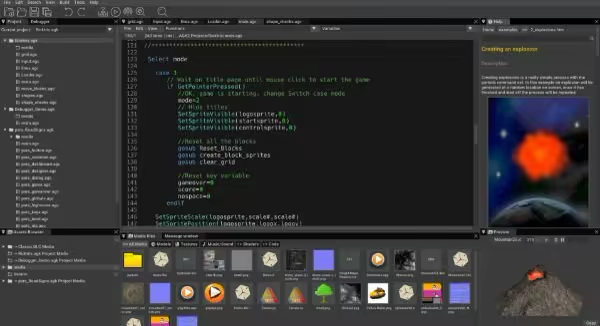
EDITING
Powerful editing tools help you code fast and efficiently - such as auto complete command help to the handy sandbox mode where you can quickly try out code tests
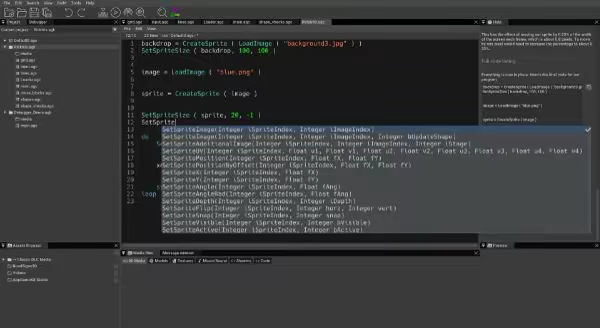
COMPILING
With a fast development and testing environment, you can code your apps once and then compile them almost instantly for testing on desktop or broadcast over wifi to your mobile devices

HELP
Help is always at hand with the new integrated help window. The integrated search makes it a cinch to find the advice you need from the hundreds of documented commands. You can even drag & drop commands from help directly into your source code space!
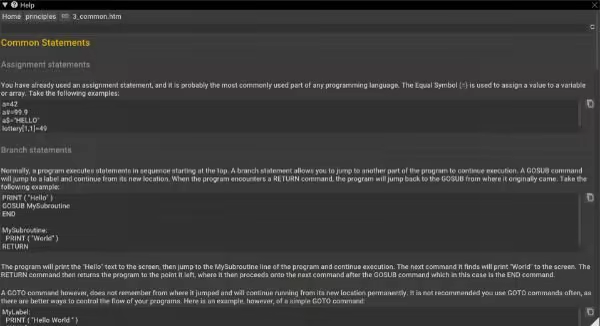
DEBUGGER
Easily find and fix bugs by using the new live debugging features and the extensive watch list support
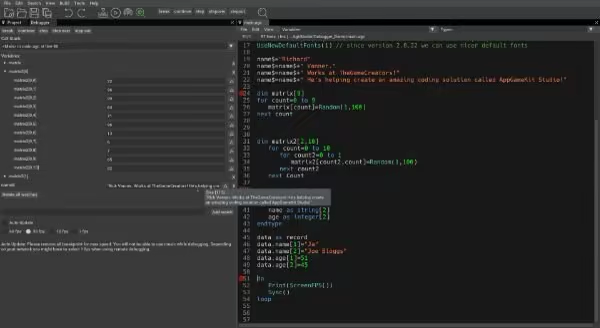
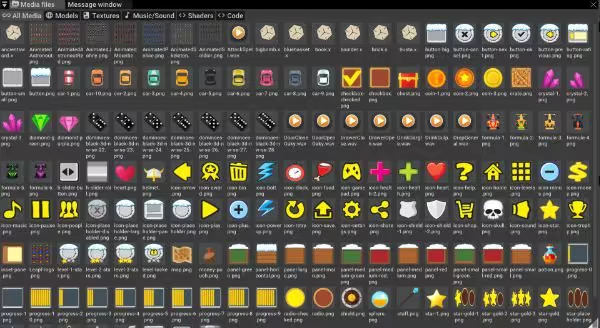
ASSET BROWSER
Visualise and manage your media assets with the asset browser window - view media such as images, 3D models and text files and listen to sound and music files
SHADERS
Deeper shader integration with editing and testing of shaders within the editor - OpenGL shaders and Vulkan shaders are fully supported

VULKAN
A new Vulkan rendering graphics engine will bring improved speed performance to your apps and will bring improved speed performance, modernisation and future proofing to your apps

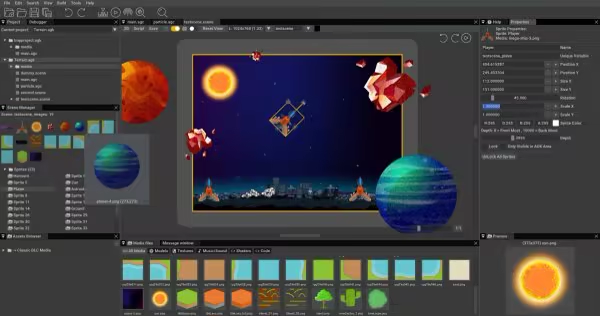
SCENE EDITOR
With an integrated Scene Editor, it’s a cinch to drag & drop 2D assets to build up and visualise the scenes in your app. It takes the guess work out of coding and shows you instantly a true representation of how your app will look across multiple device resolutions
AppGameKit Studio allows you, in a few easy clicks, to quickly publish your games to Steam, iOS, Android and a host of other places! Get your apps and games in front of millions of potential players and make yours the next big hit.
Features
IDE
Designed and built from the ground up to fully support the AppGameKit Script language - edit multiple projects at any one time and set the layout that suits your workflow
EDITING
Powerful editing tools help you code fast and efficiently - such as auto complete command help to the handy sandbox mode where you can quickly try out code tests
COMPILING
With a fast development and testing environment, you can code your apps once and then compile them almost instantly for testing on desktop or broadcast over wifi to your mobile devices
HELP
Help is always at hand with the new integrated help window. The integrated search makes it a cinch to find the advice you need from the hundreds of documented commands. You can even drag & drop commands from help directly into your source code space!
DEBUGGER
Easily find and fix bugs by using the new live debugging features and the extensive watch list support
ASSET BROWSER
Visualise and manage your media assets with the asset browser window - view media such as images, 3D models and text files and listen to sound and music files
SHADERS
Deeper shader integration with editing and testing of shaders within the editor - OpenGL shaders and Vulkan shaders are fully supported
VULKAN
A new Vulkan rendering graphics engine will bring improved speed performance to your apps and will bring improved speed performance, modernisation and future proofing to your apps
SCENE EDITOR
With an integrated Scene Editor, it’s a cinch to drag & drop 2D assets to build up and visualise the scenes in your app. It takes the guess work out of coding and shows you instantly a true representation of how your app will look across multiple device resolutions
